The Financial Cents alternative for firms that have outgrown a task tracker
Financial Cents is a clean workflow and time tracker on 12-month agreements. Firms leave when they need invoicing, credit notes, AML/KYC or staff leave in the same place as the work. ZenWorkflow adds all of it, billed monthly from €39 per user.
When firms start looking for a Financial Cents alternative
It is easy to like. Firms outgrow it when the rest of the practice needs to live with the work.
Billing stops short
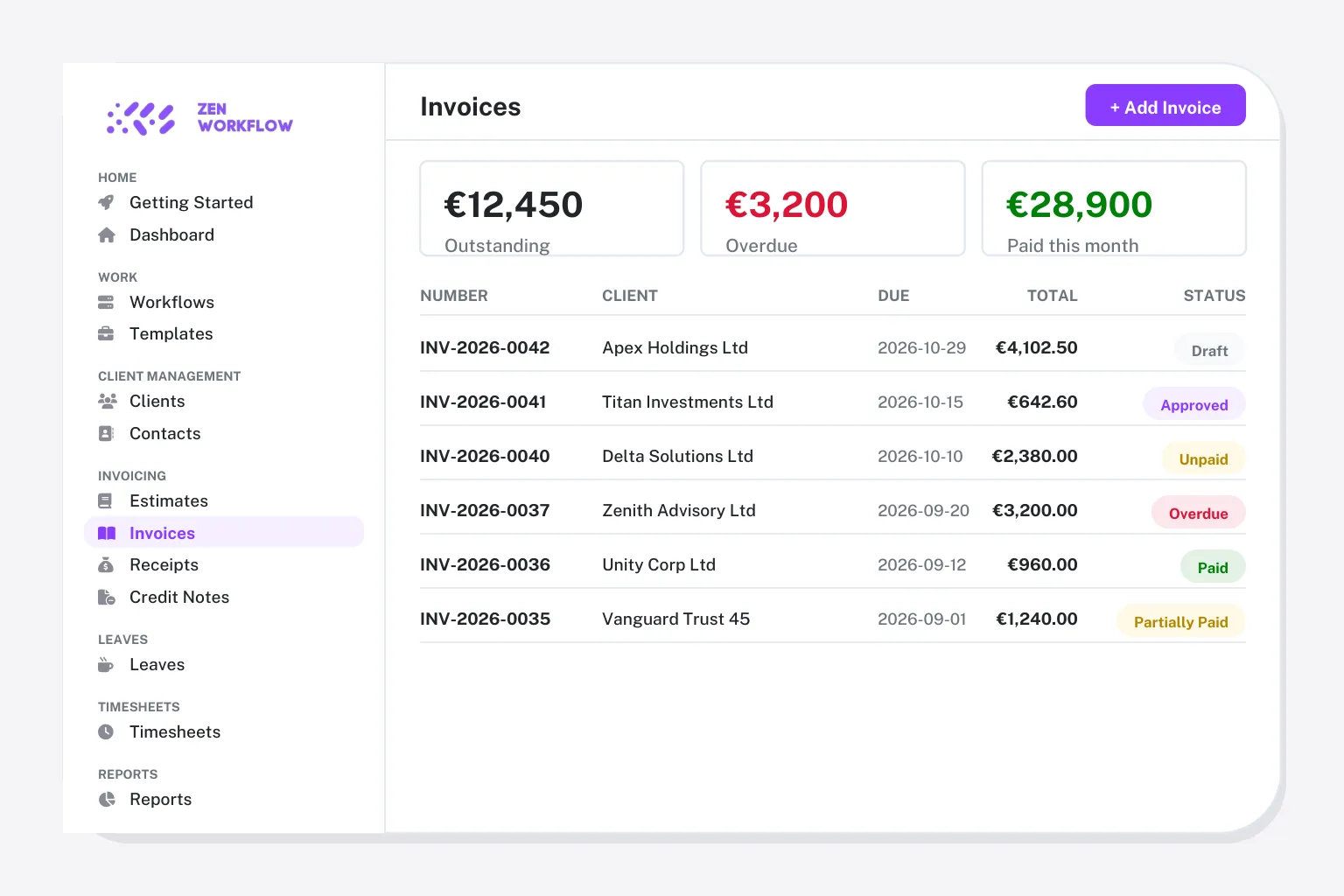
No estimates, no credit notes, and invoicing depends on tier. Firms end up billing from their ledger software with the job in another tab.
Twelve months, five seats
Every plan is a 12-month agreement and Team needs at least five users. Monthly billing costs more.
No AML/KYC
Regulated firms keep screening and risk assessments in a second tool, with no link to the client record.
QuickBooks Online first
Integrations centre on QuickBooks Online. Firms outside the US, or on other ledgers, get less from it.
What you keep, what you gain
Most of what your team does in Financial Cents carries straight across. The rest is what they have been doing in other tools.
You keep: projects as workflows
Recurring projects become workflow templates with checklist sections, owners, budgets and due dates.
You keep: time tracking
Weekly timesheets with submit-and-approve, and the hours flow onto invoices.
You gain: the full invoicing suite
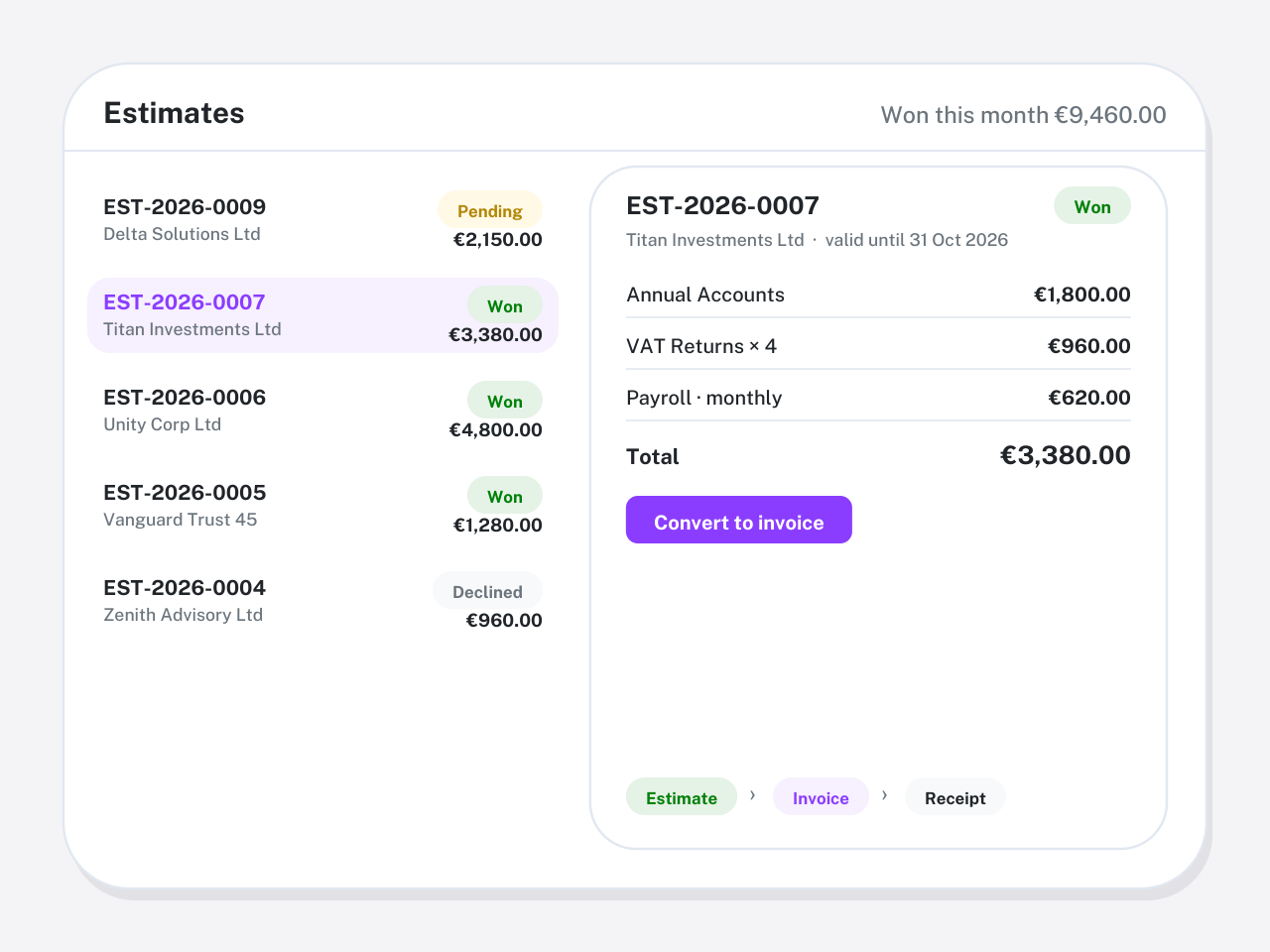
Invoices, estimates, credit notes and receipts generated from the work itself, on every plan.
You gain: AML/KYC and ownership
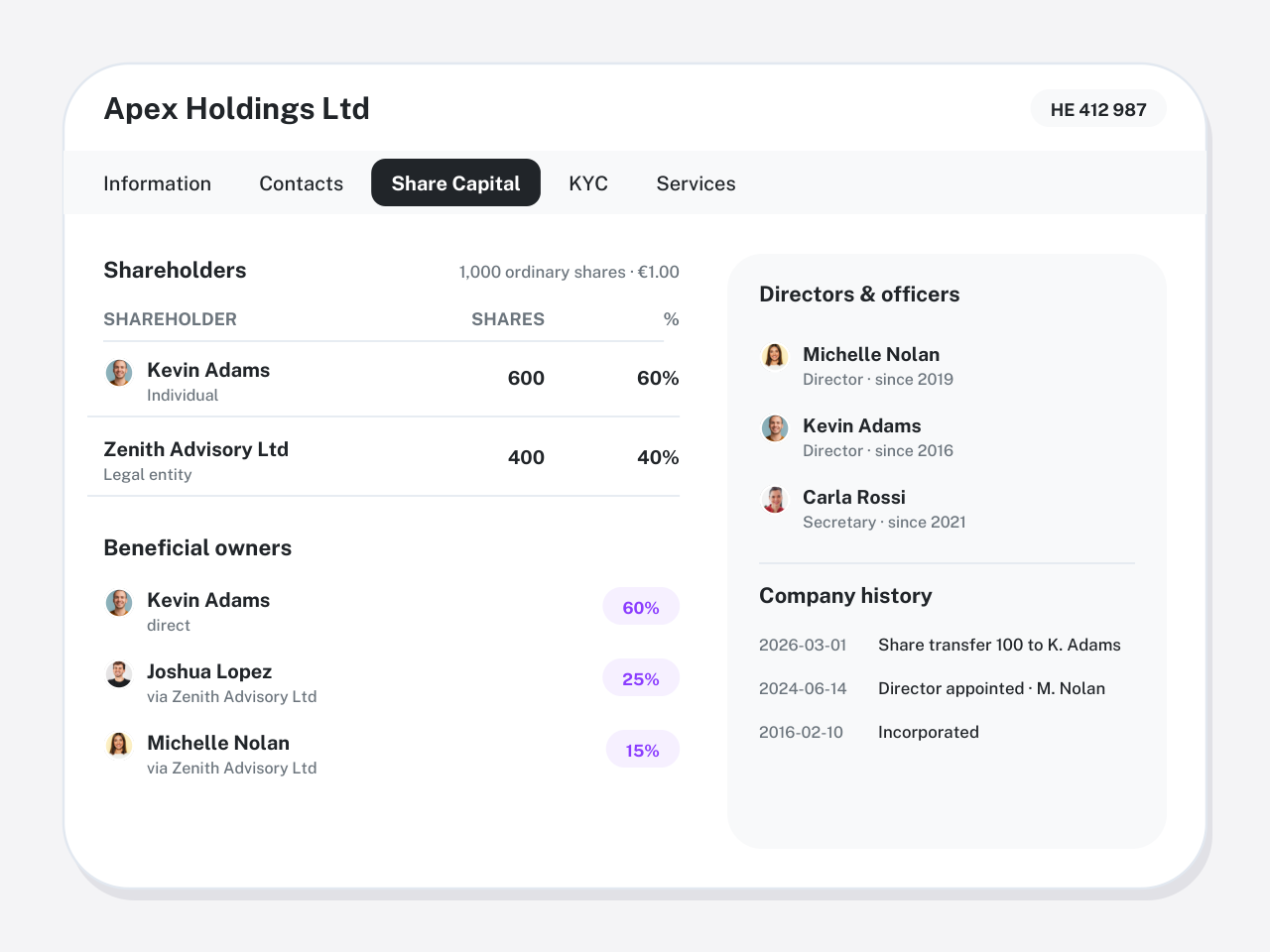
Directors, shareholders and beneficial owners on the client, with screening and risk assessments beside them.
What you give up when you leave Financial Cents
What you give up is Financial Cents' client portal and document-request flow, its QuickBooks Online integration and the $19 solo price. ZenWorkflow shares information with clients through secure links and has a free plan for one user and ten clients.
What to export from Financial Cents before your agreement renews
Agreements are yearly, so export in the last month and let it lapse rather than cancelling early.
- Clients and contacts to CSV
- Projects with status, assignee and due date, so open work is not lost
- Project templates, exported or documented, to rebuild as workflow templates
- Time entries for the current year
- Documents received through client requests, downloaded per client
Switching from Financial Cents in four steps
Guided onboarding imports your data and validates it with you before go-live.
Export clients and projects
Download clients, projects and time to CSV from Financial Cents before the agreement renews.
Import into ZenWorkflow
Import clients, contacts and open jobs; add directors and shareholders where you have them.
Templates and go live
Recreate recurring projects as templates and run the next month from ZenWorkflow.
Run one month side by side
Keep Financial Cents until the agreement ends while the team works in ZenWorkflow.
Switching from Financial Cents: questions firms ask
Straight answers on data, timing and what changes for the team.
For firms that want invoicing, credit notes, AML/KYC and staff leave alongside workflow and time, ZenWorkflow. Firms that only need a simple tracker with QuickBooks Online integration should stay.
Yes. Clients, contacts and projects import from CSV with guided onboarding, and we validate the import with you before go-live.
No. ZenWorkflow bills per user from one seat, monthly or yearly, and the free plan covers one user and ten clients. Financial Cents Team requires five users on a 12-month agreement.
Not natively. ZenWorkflow has its own invoicing, estimates, credit notes and receipts, exports to spreadsheet, and a REST API. Firms that need deep QuickBooks Online sync should weigh that.
A firm with a few hundred clients is usually live within two to three weeks: a week to export and import, a week to rebuild templates and check the first cycle, and a few days of running the two systems side by side. Larger firms with invoicing history to bring across take longer, and we plan that with you.
Most teams are working in ZenWorkflow after one onboarding session. Workflows, timesheets and invoices follow the way firms already work, and the knowledge center covers every screen. Partners usually need the reporting walkthrough only.
Yes. ZenWorkflow is built in the EU and is used by accounting, audit, tax, legal and corporate-services firms across Europe and beyond. It bills in EUR or USD, supports multiple entities from one login and includes the AML/KYC due-diligence that EU and UK regulated firms need, without a US-tax or Companies-House-only focus.
Yes. Start a free trial with no credit card, import a handful of clients and run one real engagement end to end. Book a demo if you would rather see your own workflows set up first.
Leaving Financial Cents? Bring one engagement across and see
Start a free trial, or book a demo and we will import a handful of your clients and run one real job end to end.
No credit card required. Free 14-day trial.