The Karbon alternative with billing, time, leave and AML built in
Karbon is an excellent collaboration tool built around a shared email inbox. ZenWorkflow runs the whole practice: workflows, clients, timesheets, invoicing, staff leave and AML/KYC in one system, from €39 per user per month.
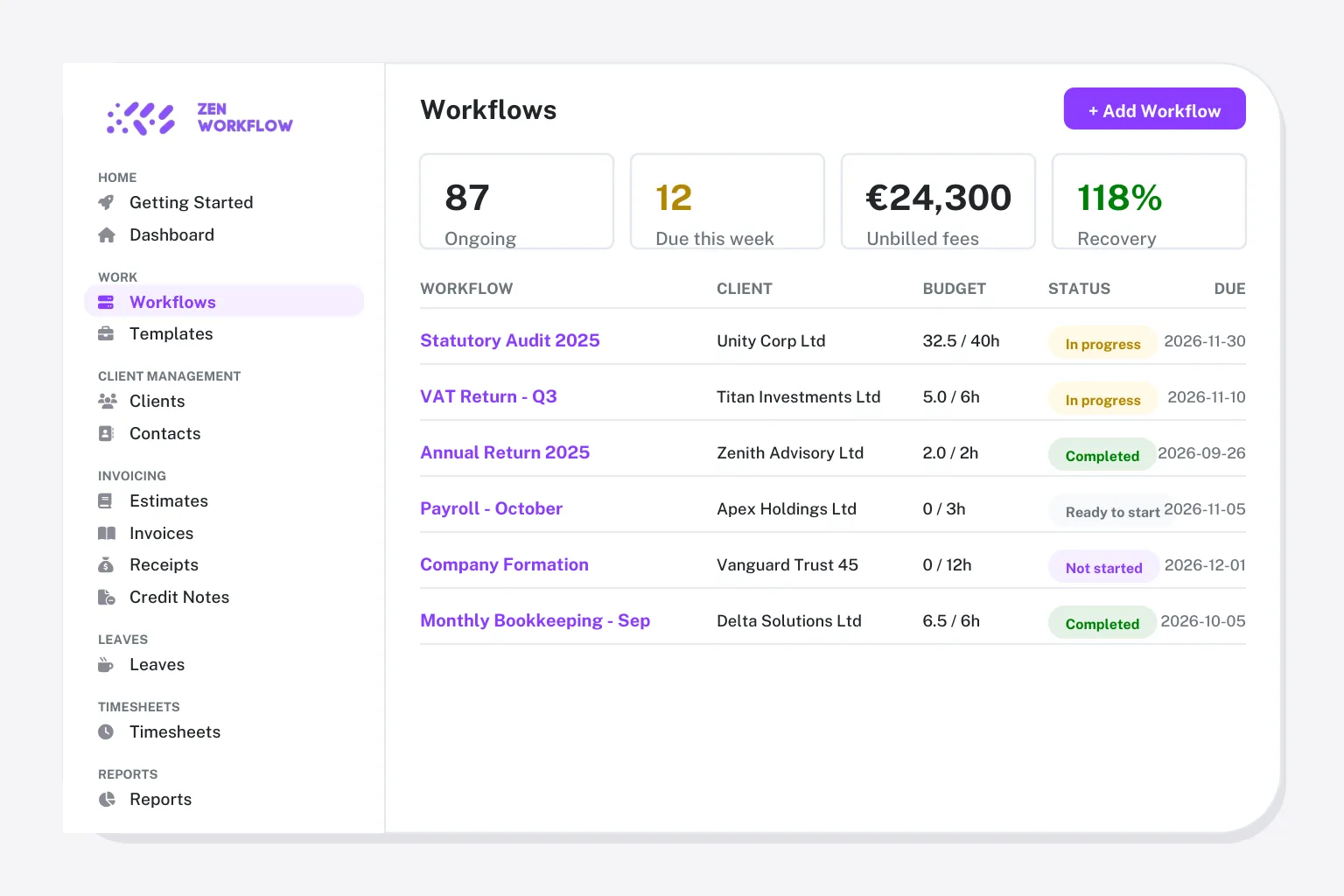
Choose ZenWorkflow if you want
- Billing, timesheets and staff leave in the same tool as your workflows
- AML/KYC screening and risk assessments without a separate compliance app
- To run several firms or entities from one login
- Monthly billing from €39 per user with no minimum seats
Karbon is the better fit if
- Your firm lives in email and wants a shared, triaged inbox
- You want @mentions and comments on every email and task
- You are happy to pay for Business tier to get client reminders
- You already use Karbon Billing & Payments
ZenWorkflow vs Karbon at a glance
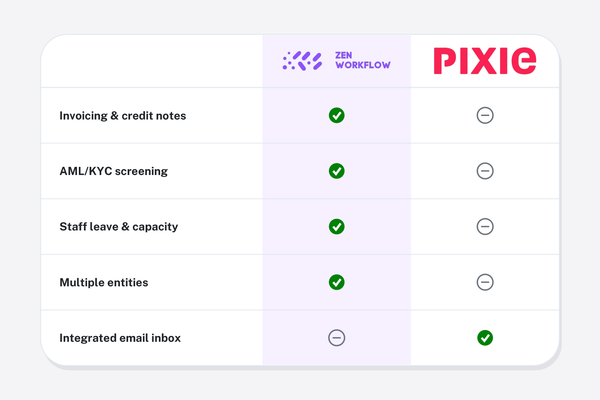
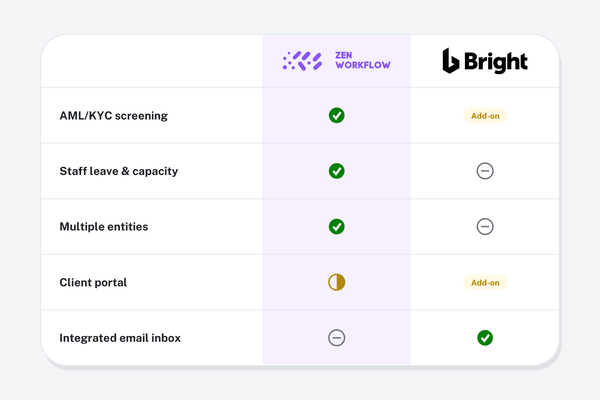
Karbon is deepest on email and collaboration. ZenWorkflow is deepest on running the firm end to end.
| ZenWorkflow | Karbon | |
|---|---|---|
| Pricing | From €39/user/month | From $59/user/month (yearly) |
| Free plan | Free plan for one user and 10 clients | |
| Workflow and job management | Templates, checklists, owners, budgets and approvals | Work items, templates, automations, Kanban |
| Client records and ownership | Contacts, directors, shareholders, ownership and history | Contacts and organisations, Companies House lookup |
| Time tracking and timesheets | Weekly timesheets with submit-and-approve | Time tracking and budgets |
| Invoicing, estimates and credit notes | Invoices, estimates, credit notes and receipts | Karbon Billing & Payments |
| AML/KYC screening and risk assessment | PEP and sanctions screening, risk assessments, document expiry | |
| Staff leave and capacity | Requests, balances and a team leave calendar | |
| Multiple firms or entities | Several firms or entities from one login, fully isolated | One firm per account |
| Client portal | Secure magic-link sharing, no full client portal | Client portal and tasks |
| Integrated email inbox | Shared inbox with triage, its signature feature | |
| Document storage | Per-client files, Google Drive sync | Document management |
| AI assistant | In-app assistant plus Claude and ChatGPT connection | Kai, Karbon AI |
| Reporting | Capacity, profitability, compliance and billing reports | Dashboards and insights |
| Contract | Monthly or yearly, no minimum seats | Monthly or yearly; cheaper tier lacks client reminders |
Karbon details from its public pricing and feature pages and independent reviews, checked October 2026. Plans change: confirm on their site before deciding.
From €39/user/month (Practice) or €58/user/month with AML/KYC, billed monthly or yearly.
Everything is included at each tier: workflows, clients, time, billing, leave, reporting and the AI assistant, with AML/KYC on the Practice + AML plan. There are no per-module fees and no minimum number of users, and the free plan covers one user and ten clients.
From $59 per user per month on the Team plan, billed yearly ($79 monthly).
Business is $89 per user per month yearly ($99 monthly) and is where automatic client reminders and the fuller automation set live. Enterprise is custom. Email, triage, collaboration, time and budgets are included; AML/KYC and staff leave are not part of the product.
Why firms move from Karbon
Karbon users rarely complain about the inbox. They move because of what sits outside it.
Compliance is a separate purchase
AML/KYC screening and risk assessments need another tool and another login. ZenWorkflow keeps the due-diligence trail on the client record.
People management is missing
Leave requests, balances and capacity live in spreadsheets or HR software. ZenWorkflow plans work around who is actually available.
Features gate behind Business tier
Client reminders and the richer automations arrive at $89 per user. ZenWorkflow ships every feature at every tier.
One firm per account
Groups running several entities juggle accounts. ZenWorkflow isolates each entity and switches between them in a click.
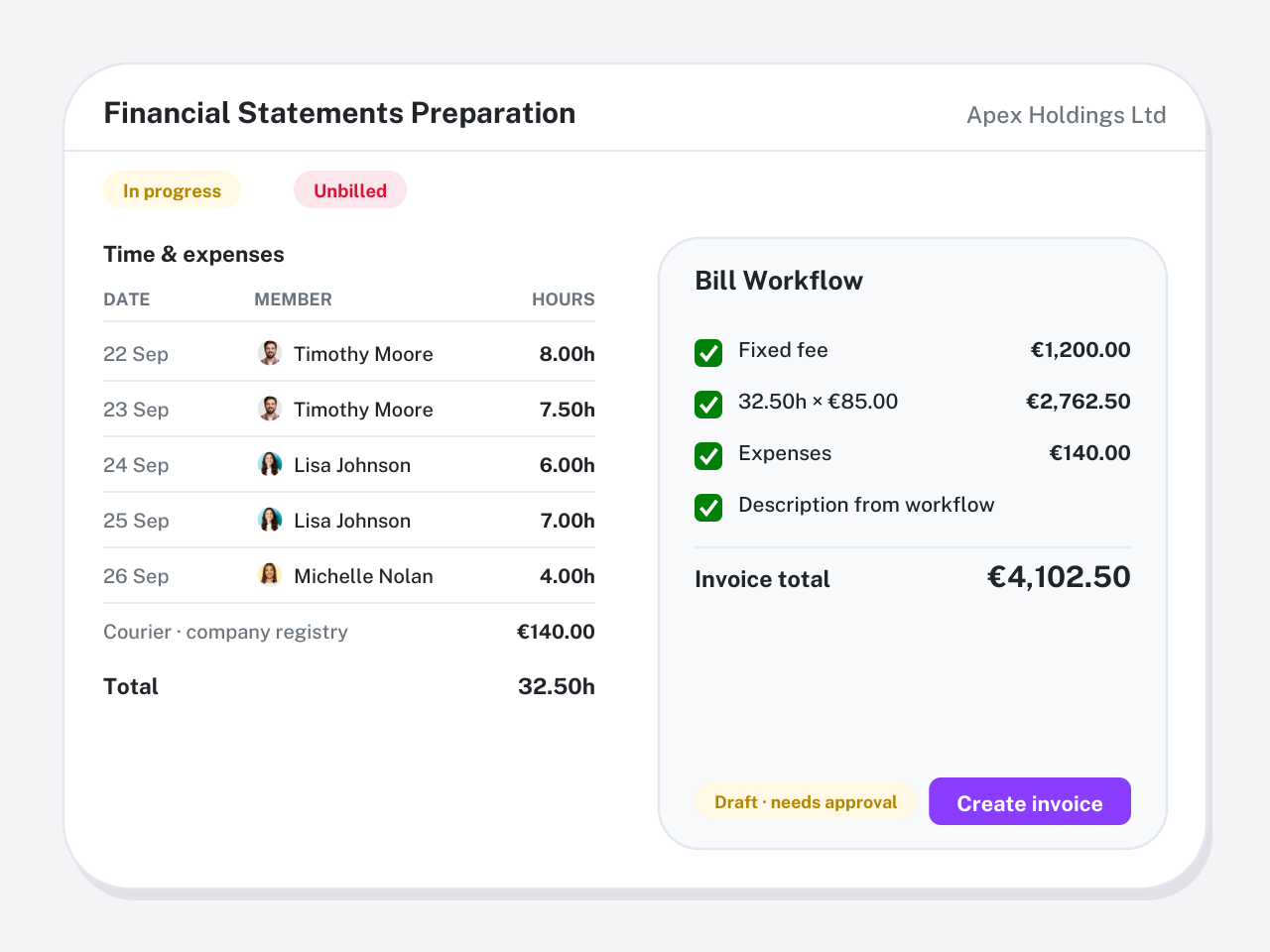
From timesheet to invoice without leaving the job
Approved hours, fixed fees and expenses sit on the workflow and flow onto the invoice in one click. Estimates, credit notes and receipts live in the same ledger, so partners see billed, paid and outstanding without a billing add-on.
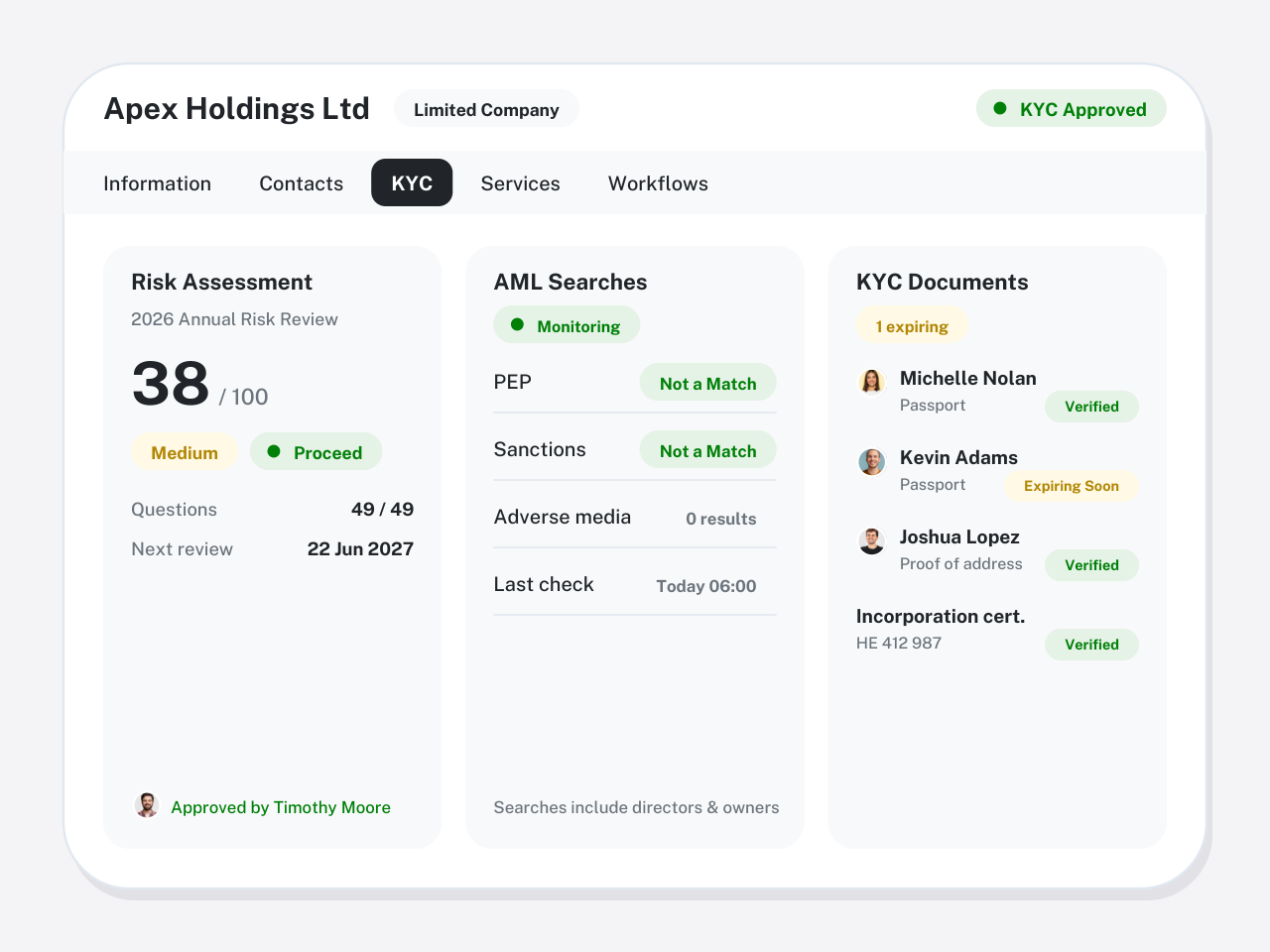
AML/KYC on the client record, not in another app
Screen clients, directors and beneficial owners against PEP and sanctions lists, run structured risk assessments and track document expiry. The evidence stays next to the engagement it belongs to.
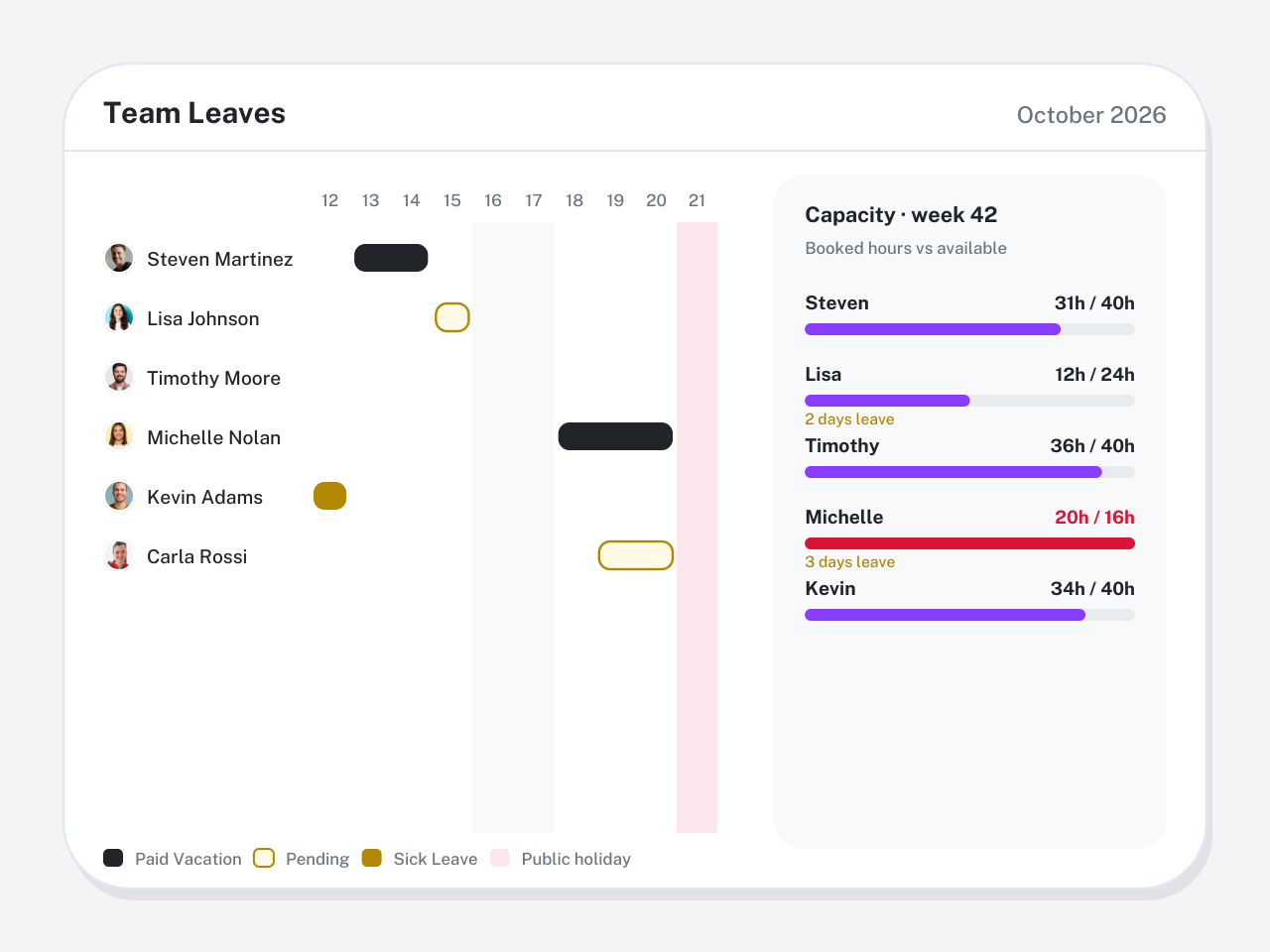
Capacity you can actually plan around
Leave requests, approvals and balances feed the same calendar as the work, so you see who is free before a deadline slips. Timesheets and workload reports close the loop.
Switching from Karbon in three steps
Guided onboarding imports your data and validates it with you before go-live. Most firms are running within a few weeks.
Export from Karbon
Export your contacts, organisations and work lists to CSV from Karbon. Keep your email where it is: ZenWorkflow does not replace your inbox.
Import and map
Import clients, contacts and open jobs from the spreadsheet. Directors, shareholders and custom fields come across in the same run.
Rebuild templates and go live
Recreate your recurring work as ZenWorkflow templates, or let the AI draft them, then launch the next cycle from ZenWorkflow.
Switching from Karbon?
What to export, how long it takes and what changes for your team, in one guide.
ZenWorkflow vs Karbon: questions firms ask
Straight answers on pricing, migration and where each tool wins.
For firms that want billing, timesheets, staff leave and AML/KYC in the same system as their workflows, yes. If your main need is a collaborative email inbox, Karbon remains the stronger choice and ZenWorkflow does not try to replace it.
Karbon lists Team at $59 per user per month and Business at $89 when billed yearly ($79 and $99 monthly), with Enterprise on request. Automatic client reminders and the fuller automation set start at Business.
Email. Karbon turns your inbox into shared, triaged work with comments and @mentions, and its Kai assistant works inside that inbox. ZenWorkflow has no integrated email client.
Yes. Export contacts and work from Karbon to CSV and import them into ZenWorkflow. Guided onboarding maps the fields with you and validates the import before you go live.
The Practice plan is €39 per user per month, or €390 per user per year. Practice + AML, which adds PEP and sanctions screening, risk assessments and KYC document tracking, is €58 per user per month or €580 per year. A free plan covers one user and ten clients, and every paid plan starts with a 14-day free trial. There are no module fees or minimum seat counts.
Yes. ZenWorkflow is built in the EU and is used by accounting, audit, tax, legal and corporate-services firms across Europe and beyond. It bills in EUR or USD, supports multiple entities from one login and includes the AML/KYC due-diligence that EU and UK regulated firms need, without a US-tax or Companies-House-only focus.
Yes. Start a free trial with no credit card, import a handful of clients and run one real engagement end to end. Book a demo if you would rather see your own workflows set up first.
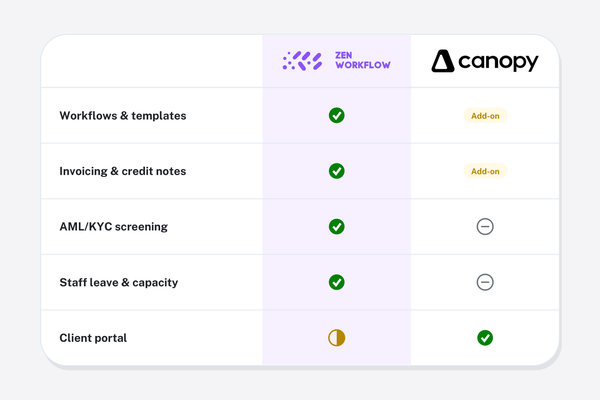
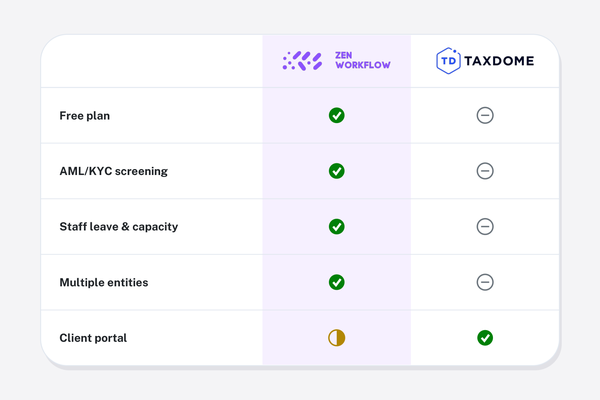
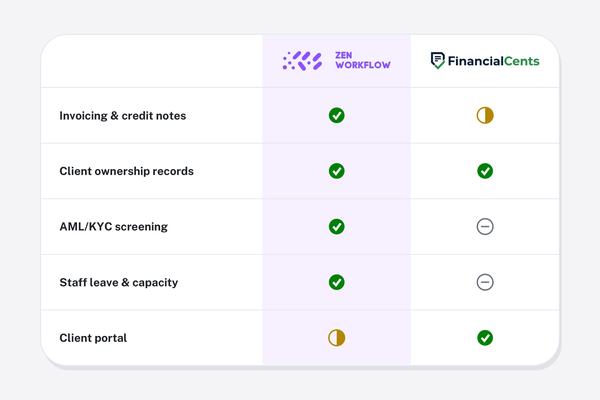
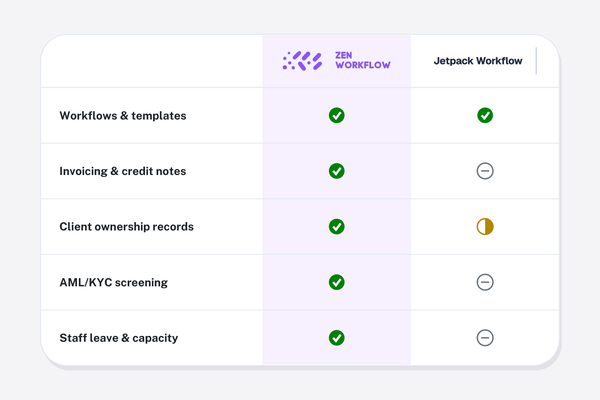
See how ZenWorkflow compares with other tools.
Every comparison uses the same honest, side-by-side format.
See ZenWorkflow next to Karbon on your own work
Start a free trial, or book a demo and we will set up one of your real engagements end to end.
No credit card required. Free 14-day trial.