The Pixie alternative with invoicing, leave and AML included
Pixie is a well-liked UK workflow and email tool priced by client count. ZenWorkflow adds native invoicing, staff leave, AML/KYC screening and multi-entity support, from €39 per user per month.
Choose ZenWorkflow if you want
- Native invoicing, estimates and credit notes from the work
- AML/KYC screening and risk assessments on the client record
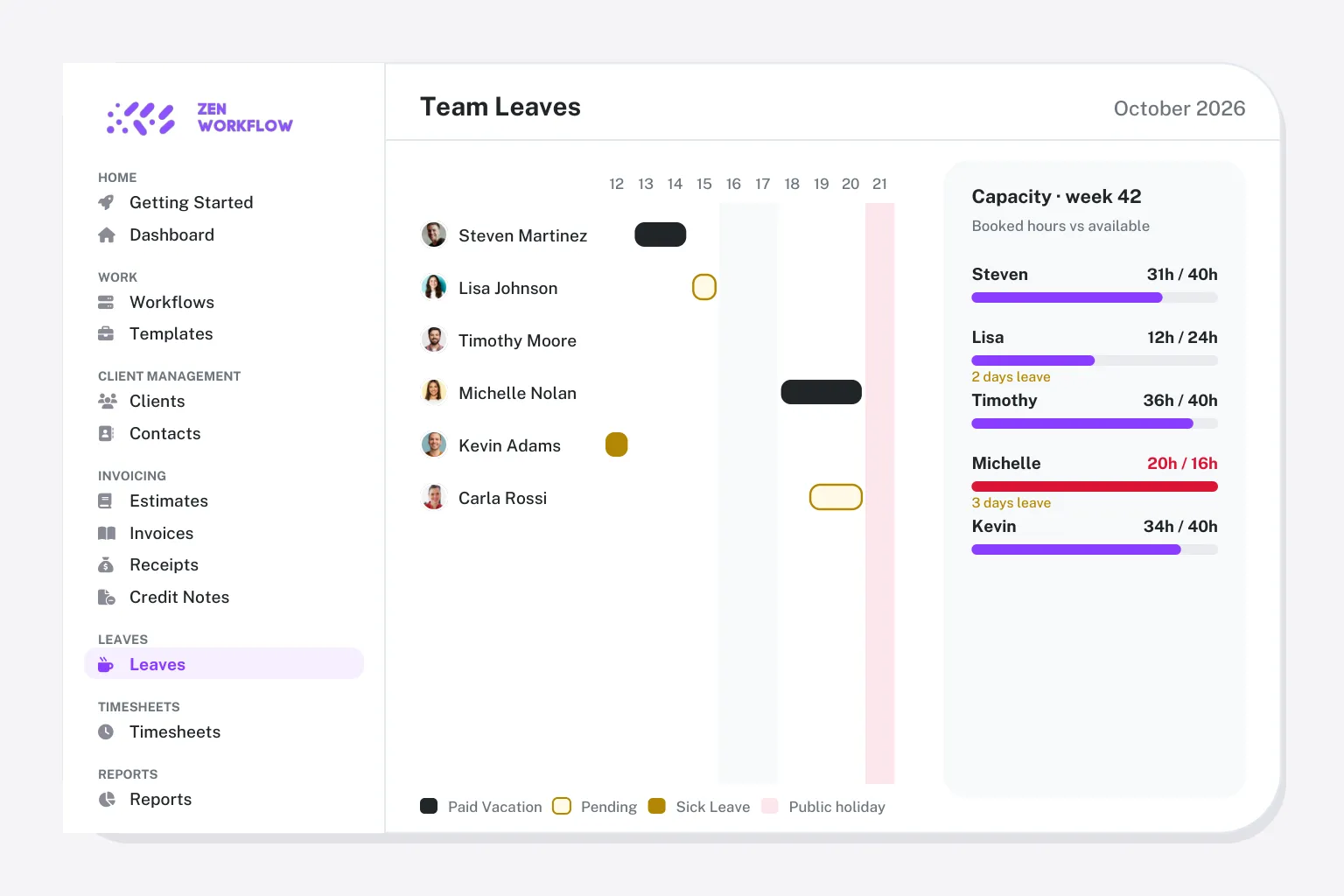
- A team that needs leave, balances and capacity planning
- A firm outside the UK, or running more than one entity
Pixie is the better fit if
- A large team with a small client list, where flat pricing wins
- You want client emails on a timeline next to the work
- You already invoice from Xero or QuickBooks and want to keep it there
- A small UK bookkeeping practice that values quick setup
ZenWorkflow vs Pixie at a glance
Pixie suits small teams with modest client lists. ZenWorkflow suits firms that bill, screen and plan in one place.
| ZenWorkflow | Pixie | |
|---|---|---|
| Pricing | From €39/user/month | Flat from about £103/month, by client count |
| Free plan | Free plan for one user and 10 clients | |
| Workflow and job management | Templates, checklists, owners, budgets and approvals | Automated workflows and templates |
| Client records and ownership | Contacts, directors, shareholders, ownership and history | CRM with email timeline |
| Time tracking and timesheets | Weekly timesheets with submit-and-approve | Time tracking |
| Invoicing, estimates and credit notes | Invoices, estimates, credit notes and receipts | Via Xero or QuickBooks |
| AML/KYC screening and risk assessment | PEP and sanctions screening, risk assessments, document expiry | |
| Staff leave and capacity | Requests, balances and a team leave calendar | |
| Multiple firms or entities | Several firms or entities from one login, fully isolated | One firm per account |
| Client portal | Secure magic-link sharing, no full client portal | Client requests; no full portal |
| Integrated email inbox | Email timeline per client | |
| Document storage | Per-client files, Google Drive sync | Document storage |
| AI assistant | In-app assistant plus Claude and ChatGPT connection | Limited |
| Reporting | Capacity, profitability, compliance and billing reports | Reporting |
| Contract | Monthly or yearly, no minimum seats | Monthly, unlimited users |
Pixie details from its public pricing and feature pages and independent reviews, checked October 2026. Plans change: confirm on their site before deciding.
From €39/user/month (Practice) or €58/user/month with AML/KYC, billed monthly or yearly.
Everything is included at each tier: workflows, clients, time, billing, leave, reporting and the AI assistant, with AML/KYC on the Practice + AML plan. There are no per-module fees and no minimum number of users, and the free plan covers one user and ten clients.
A flat monthly fee by client count with unlimited users, from about £103 a month.
Under 250 clients is the entry tier; larger books move up the bands and firms over 1,000 clients get a quote. Workflow automation, the email timeline and time tracking are included. Reviewers note the lack of a true client portal; AML/KYC and staff leave are not in the product.
Why firms move from Pixie
Pixie earns loyalty with its simplicity and support. Firms move when the work needs billing and compliance beside it.
No native invoicing
Billing stays in your ledger. ZenWorkflow raises invoices, estimates and credit notes from the job.
No AML/KYC
Screening and risk assessments need a separate tool. ZenWorkflow keeps them on the client.
No leave or capacity
Who is available next week is a spreadsheet question. ZenWorkflow answers it from the leave calendar.
Pricing climbs with the client list
Flat fees step up as clients grow. ZenWorkflow charges per user and never counts clients.
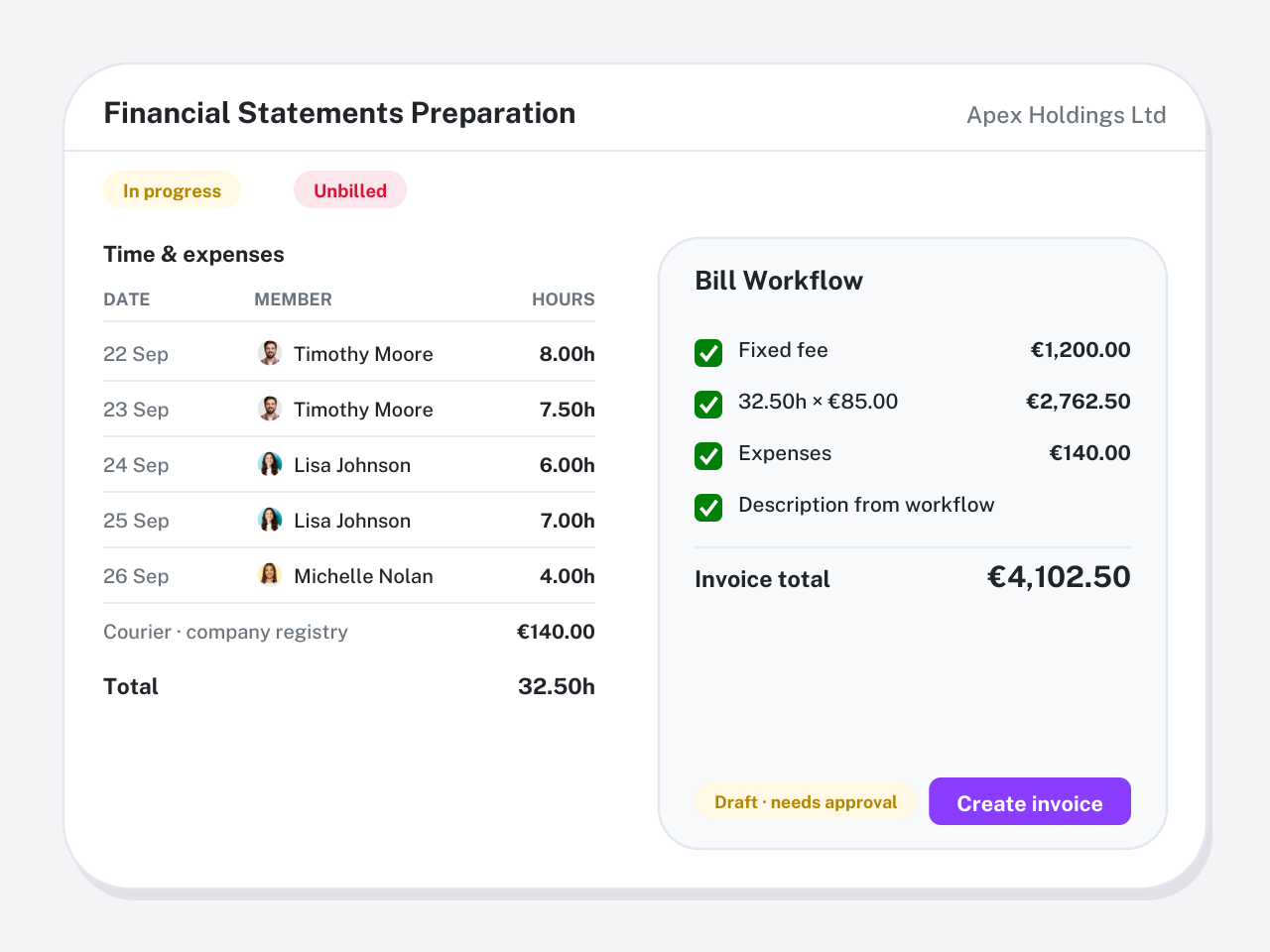
Invoices from the job, not the ledger
Fixed fees and approved hours sit on the workflow and roll straight onto an invoice. Estimates convert when won; credit notes and receipts keep the balance right.
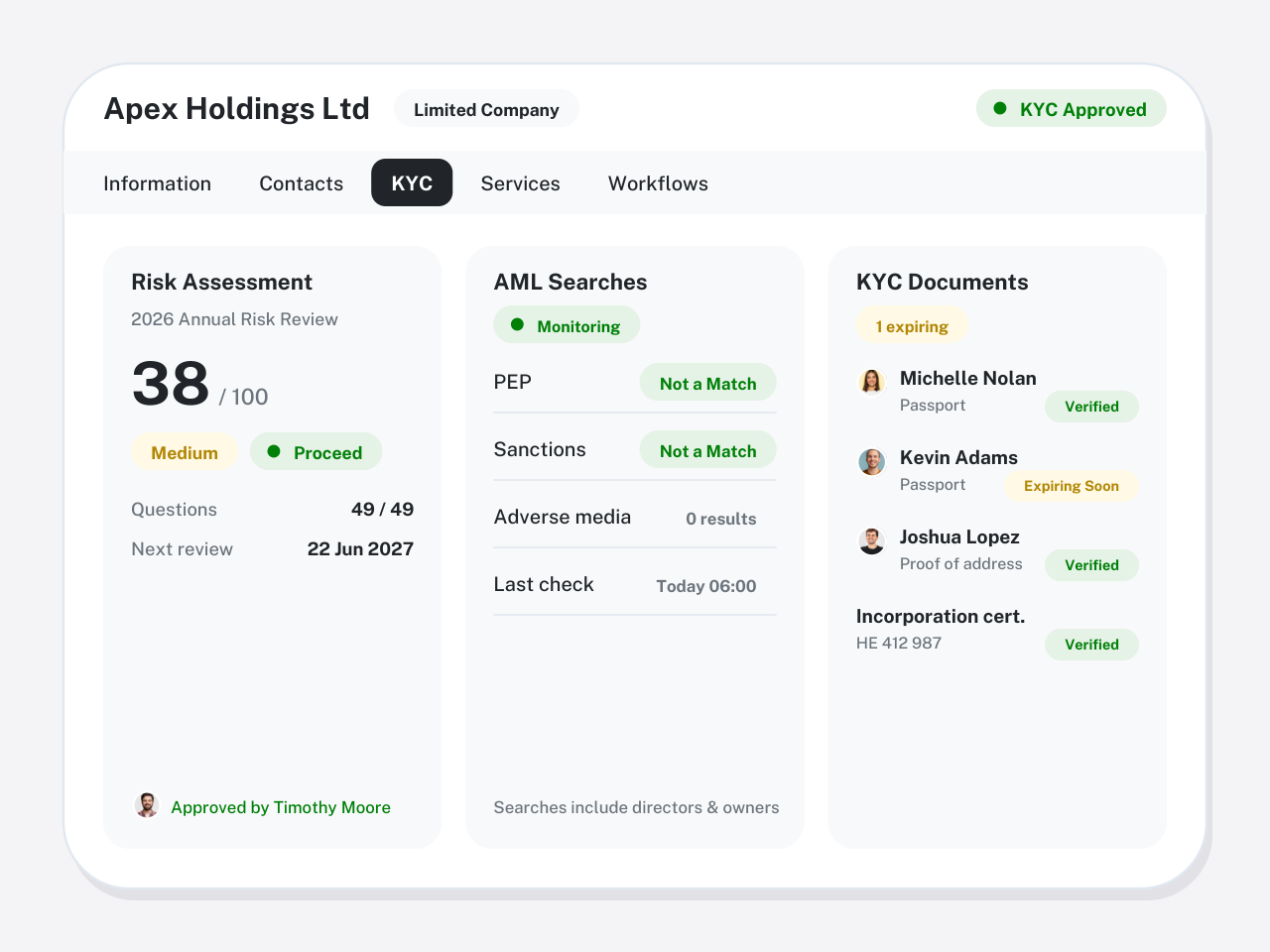
KYC on the client, with the evidence
Identity and address verification, PEP and sanctions screening, structured risk assessments and document expiry, recorded against the client and its owners.
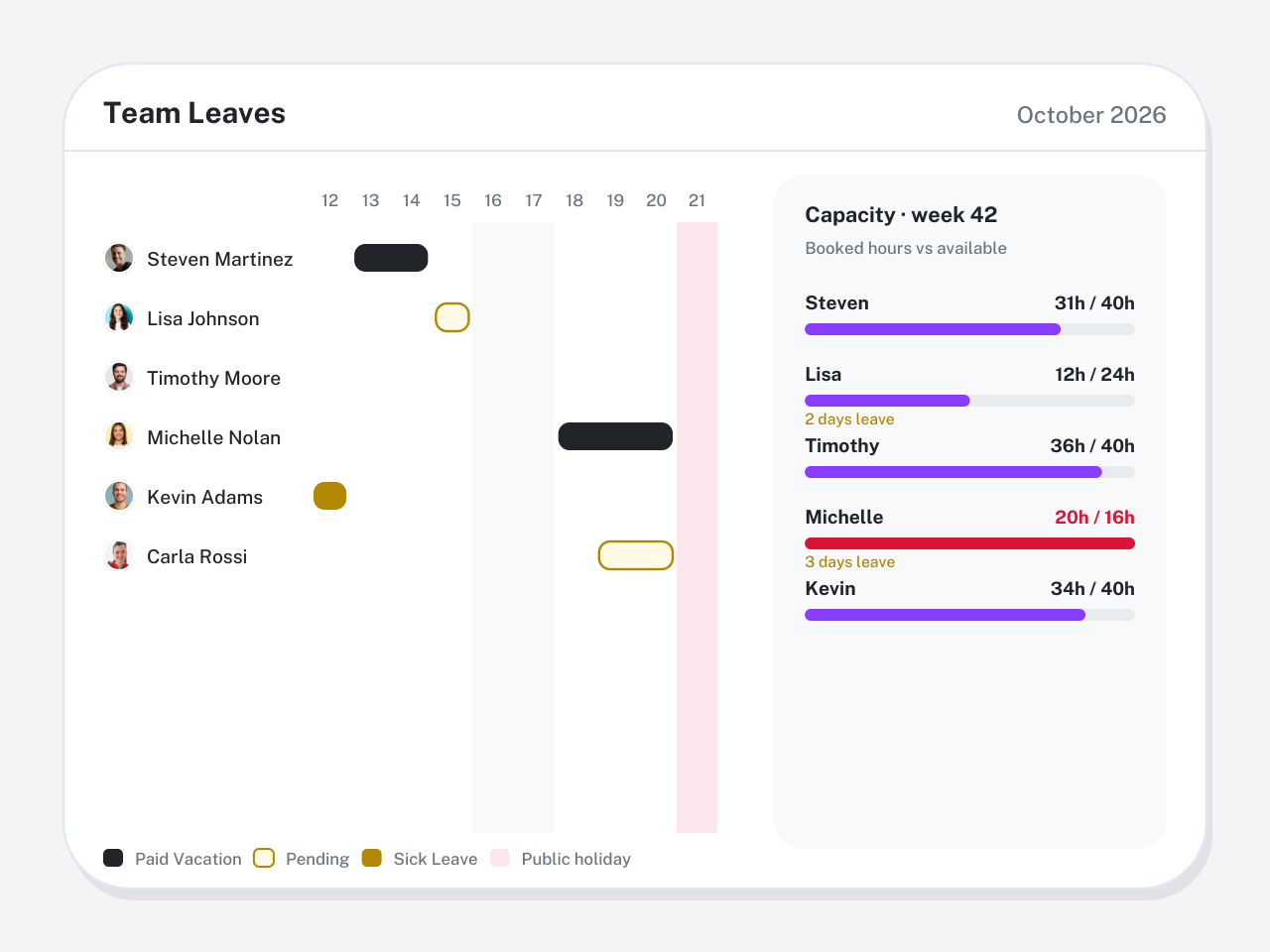
Leave and capacity in the same calendar as the work
Requests, approvals and balances feed a team calendar that sits beside workload reports, so deadlines are planned around people who are actually in.
Switching from Pixie in three steps
Guided onboarding imports your data and validates it with you before go-live. Most firms are running within a few weeks.
Export your clients
Export clients and contacts from Pixie to CSV. Your email stays in your mailbox.
Import into ZenWorkflow
Import clients and contacts, add directors and shareholders, and connect Google Drive for files.
Templates and go live
Rebuild your workflow templates in ZenWorkflow and launch the next cycle there.
ZenWorkflow vs Pixie: questions firms ask
Straight answers on pricing, migration and where each tool wins.
Yes for firms that want invoicing, AML/KYC and staff leave with their workflows, or that run more than one entity. A small UK bookkeeping team with a short client list may find Pixie's flat fee hard to beat.
Pixie charges a flat monthly fee based on how many clients you have, with unlimited users: roughly £103 a month for up to 250 clients, rising by band, with custom pricing above 1,000 clients.
Its per-client email timeline, and flat pricing for teams that are large relative to their client list. ZenWorkflow does not integrate your inbox.
Yes. Export clients and contacts to CSV and import them into ZenWorkflow with guided onboarding.
The Practice plan is €39 per user per month, or €390 per user per year. Practice + AML, which adds PEP and sanctions screening, risk assessments and KYC document tracking, is €58 per user per month or €580 per year. A free plan covers one user and ten clients, and every paid plan starts with a 14-day free trial. There are no module fees or minimum seat counts.
Yes. ZenWorkflow is built in the EU and is used by accounting, audit, tax, legal and corporate-services firms across Europe and beyond. It bills in EUR or USD, supports multiple entities from one login and includes the AML/KYC due-diligence that EU and UK regulated firms need, without a US-tax or Companies-House-only focus.
Yes. Start a free trial with no credit card, import a handful of clients and run one real engagement end to end. Book a demo if you would rather see your own workflows set up first.
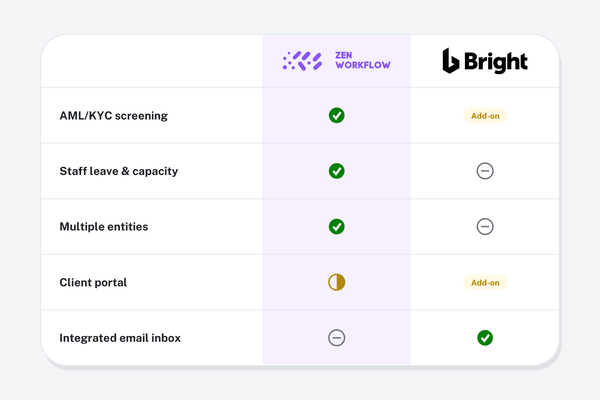
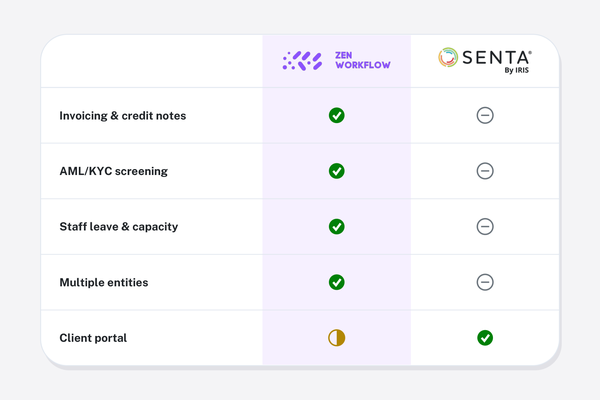
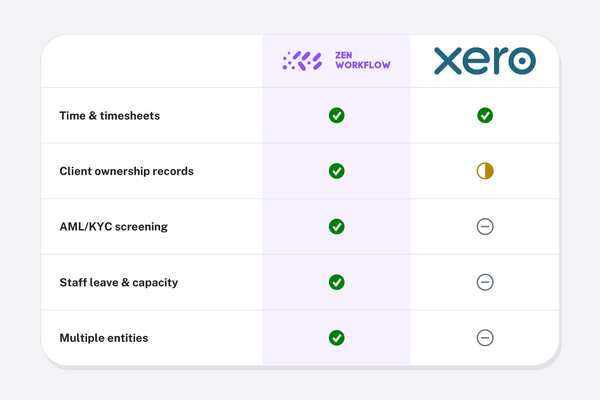
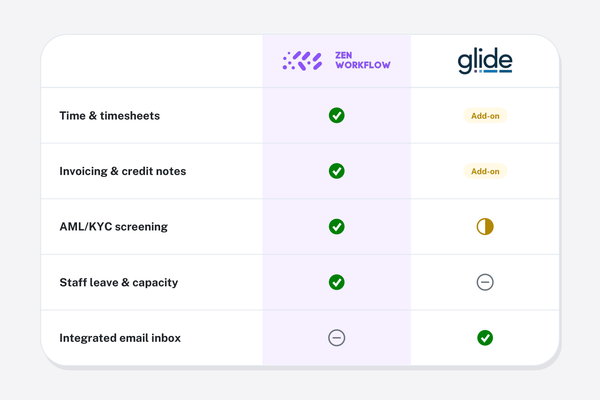
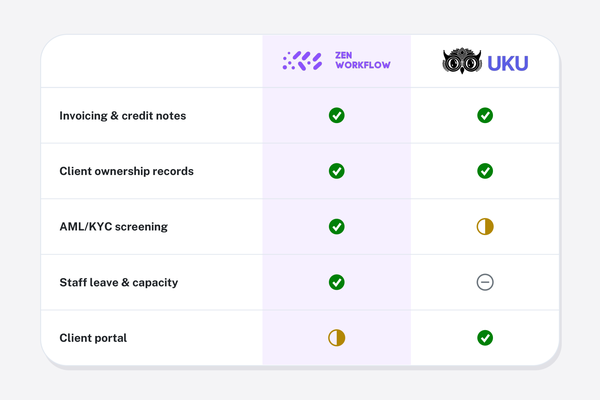
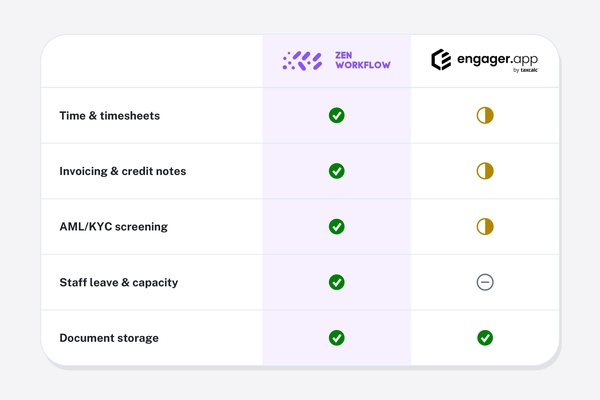
See how ZenWorkflow compares with other tools.
Every comparison uses the same honest, side-by-side format.
See ZenWorkflow next to Pixie on your own work
Start a free trial, or book a demo and we will set up one of your real engagements end to end.
No credit card required. Free 14-day trial.