Client Management Deep Dive: From Onboarding to Ongoing Service
Professional services firms live and breathe client relationships. ZenWorkflow's client management module goes far beyond a simple contact list, providing the tools you need to manage the full client lifecycle — from initial onboarding through ongoing service delivery.
Client Types and Identification
ZenWorkflow supports two client types:
- Individual: A person — used for sole proprietors, directors, beneficial owners, or private clients
- Entity: A company or organisation — used for corporate clients, trusts, foundations, or partnerships
Each client gets an auto-generated identifier based on configurable prefixes. For example, you might use "IND-" for individuals and "ENT-" for entities, with auto-incrementing numbers. This creates consistent, professional reference numbers across your practice.
Rich Client Information
Every client record includes comprehensive fields:
- Basic details: Name, email, phone (with international formatting), fax, gender, and date of birth
- Multiple addresses: Registered address plus additional location addresses, with one designated as the primary billing address
- Custom fields: Unlimited custom fields organised into logical sections, with 14 field types matching the workflow system. You can create different field configurations for individuals and entities.
Custom fields are particularly powerful. Create sections like "Tax Information", "Regulatory Details", or "Industry Specifics" with fields tailored to your practice area. Fields can be marked as required, and you can enable specific fields for use in list filters and search.
Contact Relationships
Clients rarely exist in isolation. ZenWorkflow tracks relationships between clients and contacts:
- Built-in relationship types: Shareholder, Officer
- Custom relationship types: Beneficial Owner, Trustee, Nominee, Secretary, and any type your practice needs
- Duration tracking: Start and end dates with human-readable duration display
- Cross-linking: Link contacts to entity clients as officers, shareholders, or other roles
- Contact conversion: Convert a standalone contact into a full client record when the relationship evolves
Capital Management
For corporate services firms, ZenWorkflow includes full capital management capabilities:
- Capital types: Define capital structures (Common Stock, Preferred Stock, etc.)
- Capital entries: Track all capital changes including initial allocation, increases, decreases, share allocations, transfers, stock splits, and redemptions
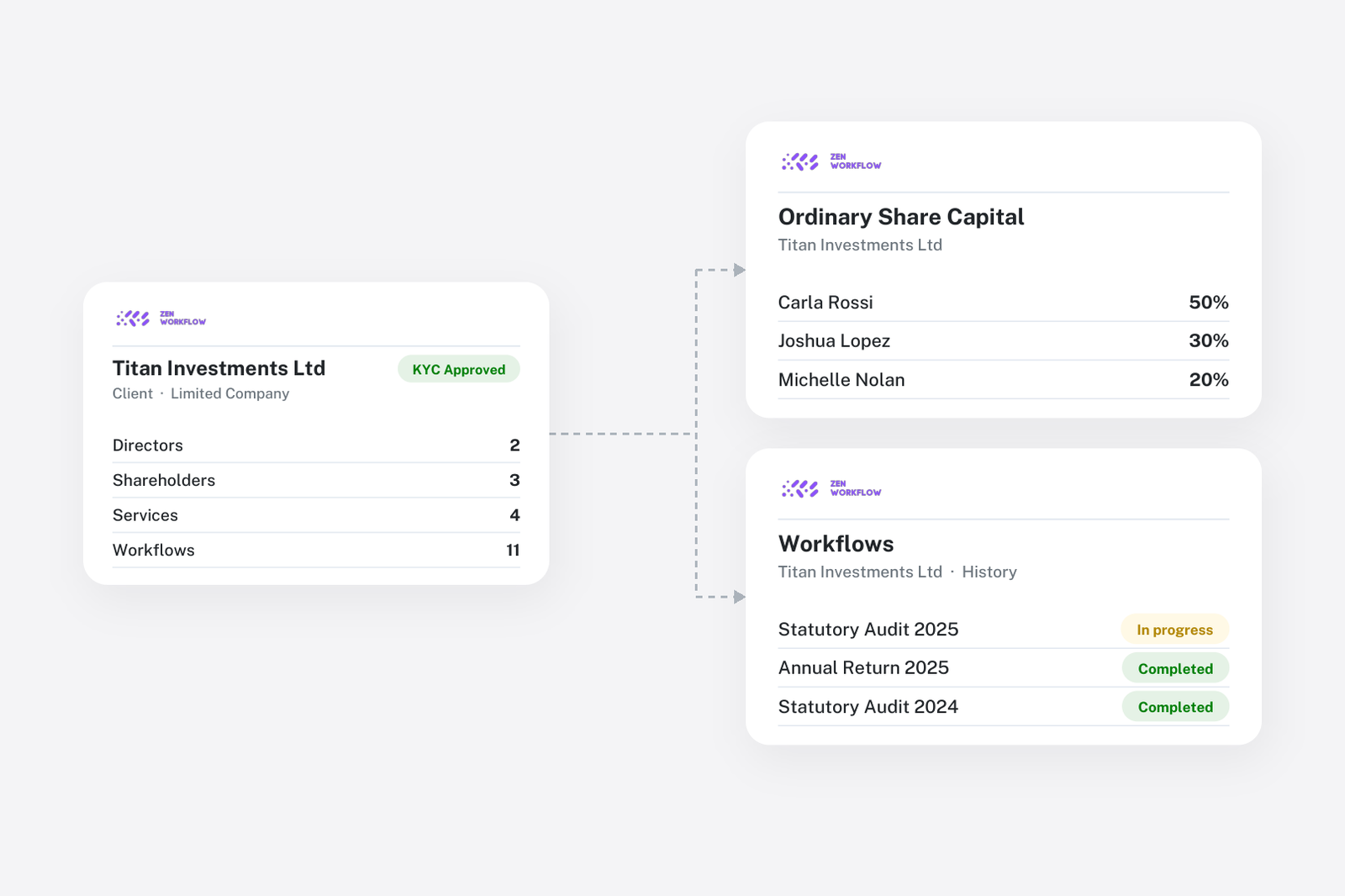
- Shareholder tracking: Monitor ownership percentages, nominal and premium values, and Ultimate Beneficial Owner (UBO) flags
- History and certificates: View capital history, issued share history, and shareholder history. Generate share certificates directly from the platform.
- Visual display: A pie chart showing real-time shareholder ownership percentages
Document Management
Every client has a hierarchical file system:
- Create folders and subfolders to organise documents logically
- Upload multiple files to any folder
- Rename, delete, download, and reorder files
- Search across all files within a client's document system
- Automatic file type icons (PDF, Word, Excel, Image, etc.) for visual clarity
Notes System
Keep important information about clients using the notes system:
- Create custom note categories (e.g., "Meeting Notes", "Compliance Updates", "Action Items")
- Write rich-text notes with a WYSIWYG editor
- Tag notes with dates and categories for easy retrieval
- Full CRUD operations for managing notes over time
Client Self-Service with Magic Links
ZenWorkflow supports client self-service through magic links:
- Generate time-limited shareable links for clients to view their own information
- Clients can review their data and submit change requests through the portal
- Change requests go through an approval workflow before being applied
- Send magic links via email for a professional, branded experience
This feature reduces back-and-forth communication and empowers clients to keep their information current.
Financial Views
Each client record includes financial views:
- Statement: A summary of the client's financial position across all invoices
- Transactions: Complete transaction history showing payments, credits, and outstanding balances
- Workflows: All workflows linked to the client, providing a complete picture of work performed
List Management
The client list is as customisable as the workflow list:
- Choose visible columns (identifier, name, email, services, members, AML rating, and more)
- Save filter and column configurations as named views
- Filter by status, type, assigned members, services, AML risk rating, and custom fields
- Bulk operations for deleting multiple clients
- Import clients from Excel templates and export to Excel with customisable columns
- Export individual client details to PDF