Your client files in Google Drive, right inside ZenWorkflow
Give every client a Google Drive folder and work with it from the client record. Browse, upload, search and organise files without leaving ZenWorkflow, while Drive stays the single home for your documents.
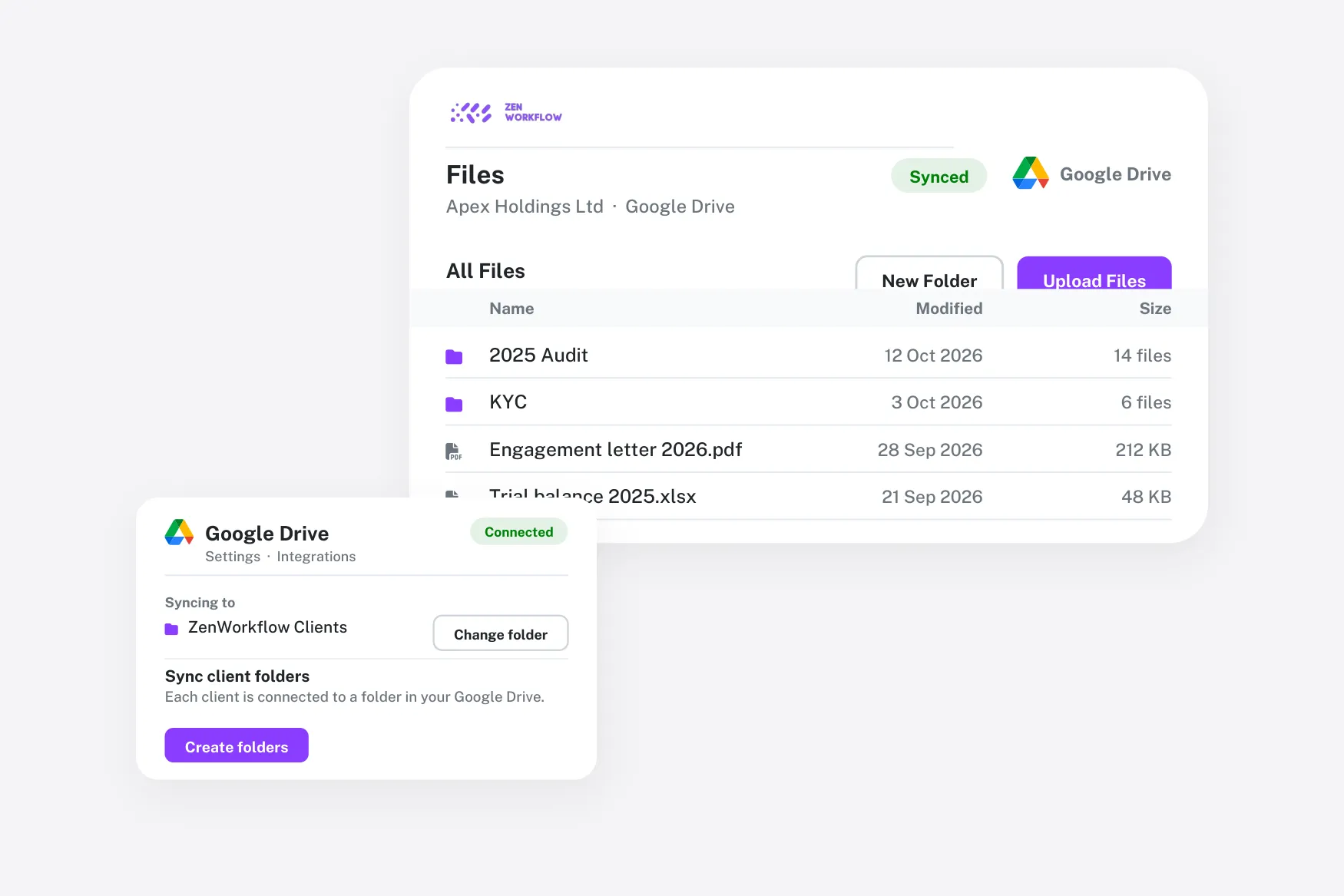
Drive and your client records, joined up
Keep the filing system your team knows and stop switching tabs to find a document.
A folder per client
Choose a root folder and ZenWorkflow creates a folder for each client inside it.
Live file browser
The client Files tab shows the linked Drive folder live, including files added directly in Drive.
Upload and organise
Upload, create folders, rename, download, search and delete without opening Drive.
Stays in step
Rename a client and its Drive folder is renamed to match.
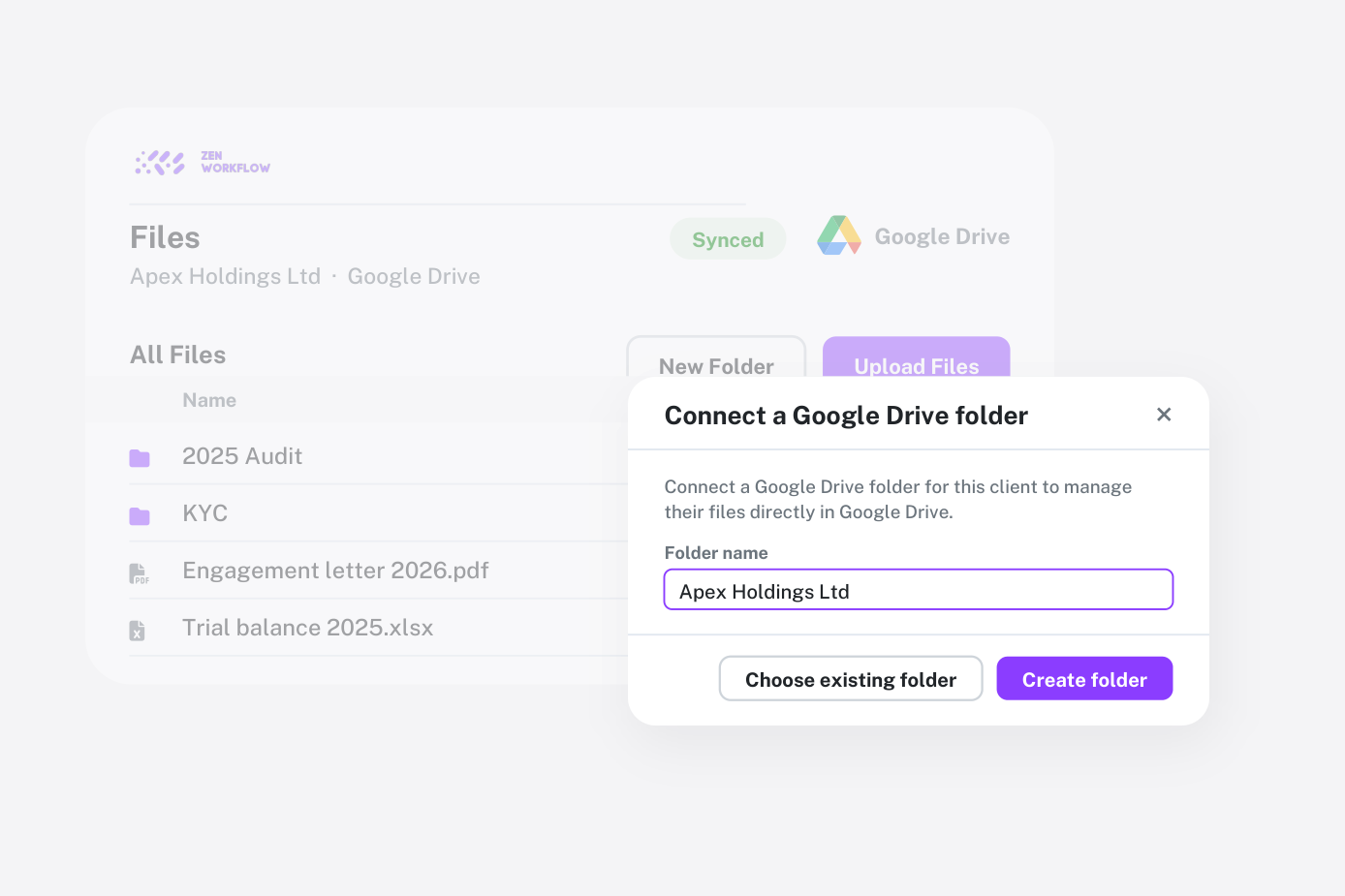
Work in Drive from the client record
Link a client to a Drive folder—an existing one or a new one created for you—and the Files tab becomes a live view of it. Everything you see is what is in Drive, so there is never a second copy to keep in sync.
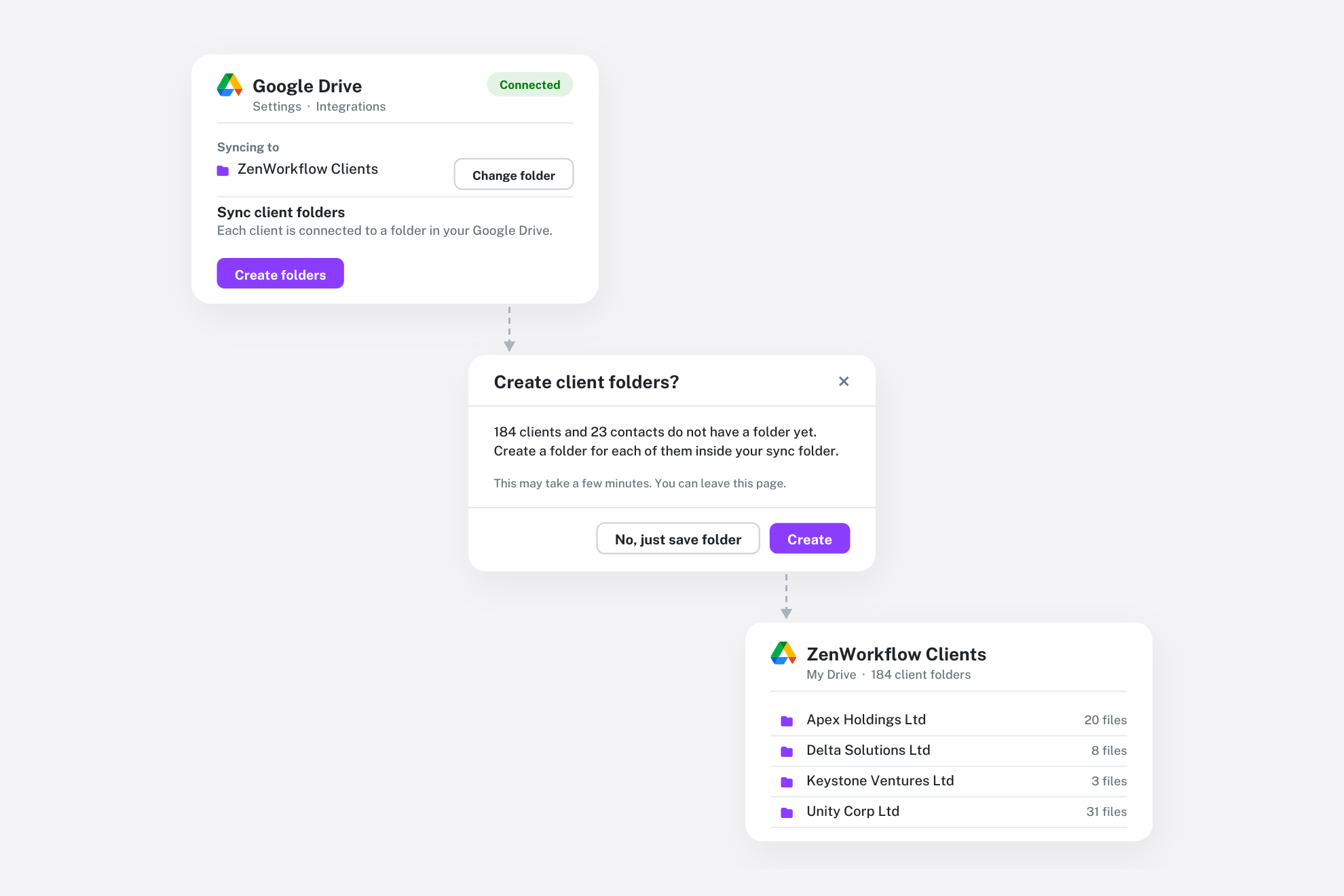
Move your existing files across in one go
Pick the root folder once and ZenWorkflow can create a folder for every client and copy across the files you already keep in ZenWorkflow, so your whole client list is in Drive from day one.
Frequently asked questions
Common questions about the Google Drive integration.
Any user with permission to edit organisation settings can connect Drive from Settings → Integrations.
No. Linked client folders are shown live from Drive, so Drive remains the single home for the files.
The connection is revoked and files stay exactly where they are in Drive. You can reconnect at any time.


Keep every client file one click away
See how Google Drive and ZenWorkflow work together.