Granular Permissions and Access Control: Securing Your Practice Management
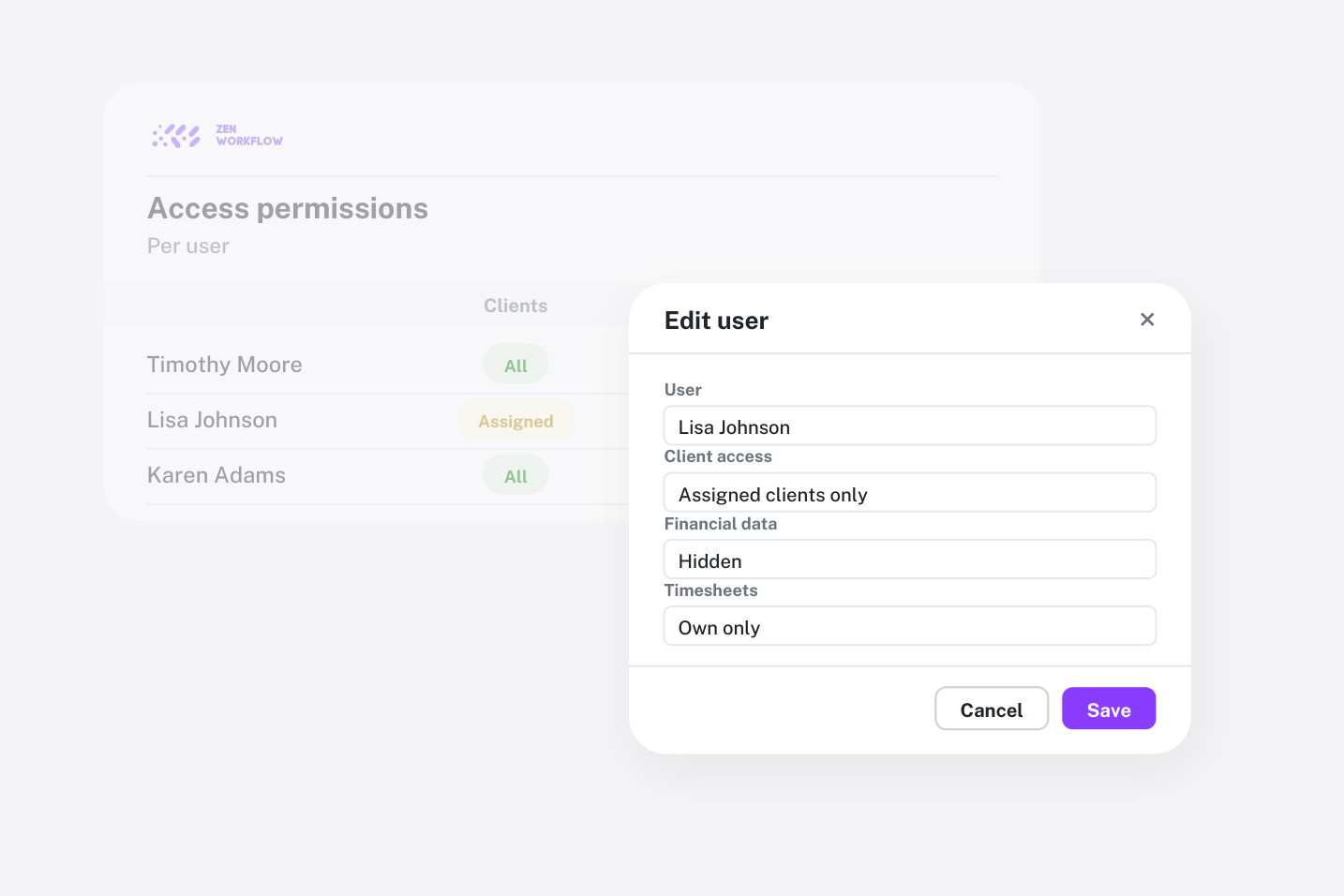
In any professional services firm, not everyone should have access to everything. Junior team members should not see financial data, restricted users should only access their assigned work, and only administrators should modify organisation settings. ZenWorkflow's permission system gives you this level of control without complexity.
The Four-Tier Permission Model
ZenWorkflow uses a straightforward four-level hierarchy that covers the most common access patterns:
- Admin: Full system access including all organisation settings, financial data, and team management.
- Manager: Access to all features except organisation-level settings. Managers can view financial data, manage clients, and oversee team workflows.
- User: Access to most features but restricted from financial data like invoices, estimates, and receipts. Users can manage workflows, clients, and their own timesheets.
- Restricted: The most limited level, providing access only to assigned work and personal time tracking. Ideal for contractors or part-time team members.
Granular Permission Overrides
The four-tier model provides sensible defaults, but real organisations often need more nuance. That is where granular permissions come in. Each permission can be toggled independently:
- can_edit_settings — Control who can modify organisation settings
- can_view_clients / can_create_edit_clients / can_delete_clients — Separate read and write access for client data
- can_edit_kyc_clients — Restrict KYC and corporate data editing to compliance officers
- can_view_others_workflow — Control visibility of other team members' workflows
- can_view_financial_data — Gate access to invoices, estimates, and receipts
- can_create_edit_delete_invoices — Separate invoice management from viewing
- can_edit_others_time_entries — Allow managers to approve and modify timesheets
- can_edit_others_leave_entries — Control leave request approval authority
How Overrides Work
Permissions operate at two levels:
- Tenant-wide defaults: Set default permissions for each access level across the entire organisation. For example, you might decide that all Users should have client viewing access but not financial data access.
- Member-specific overrides: Customise permissions for individual team members. A User-level member might need temporary access to financial data for a specific project, and you can grant it without changing their overall access level.
If overrides become outdated, you can reset any member's permissions back to the organisation defaults with a single action.
Practical Example
Consider a mid-sized accounting firm with the following team structure:
- Partners (Admin level): Full access to everything, including billing settings and subscription management.
- Senior Accountants (Manager level): Can see all clients, workflows, and financial data, but cannot change organisation settings.
- Junior Accountants (User level): Can work on assigned workflows and view clients, but cannot see invoices or billing information.
- Seasonal Contractors (Restricted level): Can only log time against their assigned workflows.
One senior accountant might also handle compliance, so you grant them the can_edit_kyc_clients override specifically. Another junior accountant might assist with invoicing during peak season, so you temporarily enable can_view_financial_data for them.
Security by Design
ZenWorkflow's permission system is enforced server-side on every request. When a user lacks permission, the system returns a 404 response rather than a 403, preventing users from even knowing that restricted resources exist. This approach follows the principle of least privilege and prevents information leakage.
Permissions are checked at the view level using Django's permission mixins, and the navigation sidebar automatically hides menu items that the current user cannot access. This means the interface stays clean and focused for each team member.