Invoicing and Financial Documents: A Complete Guide to Billing in ZenWorkflow
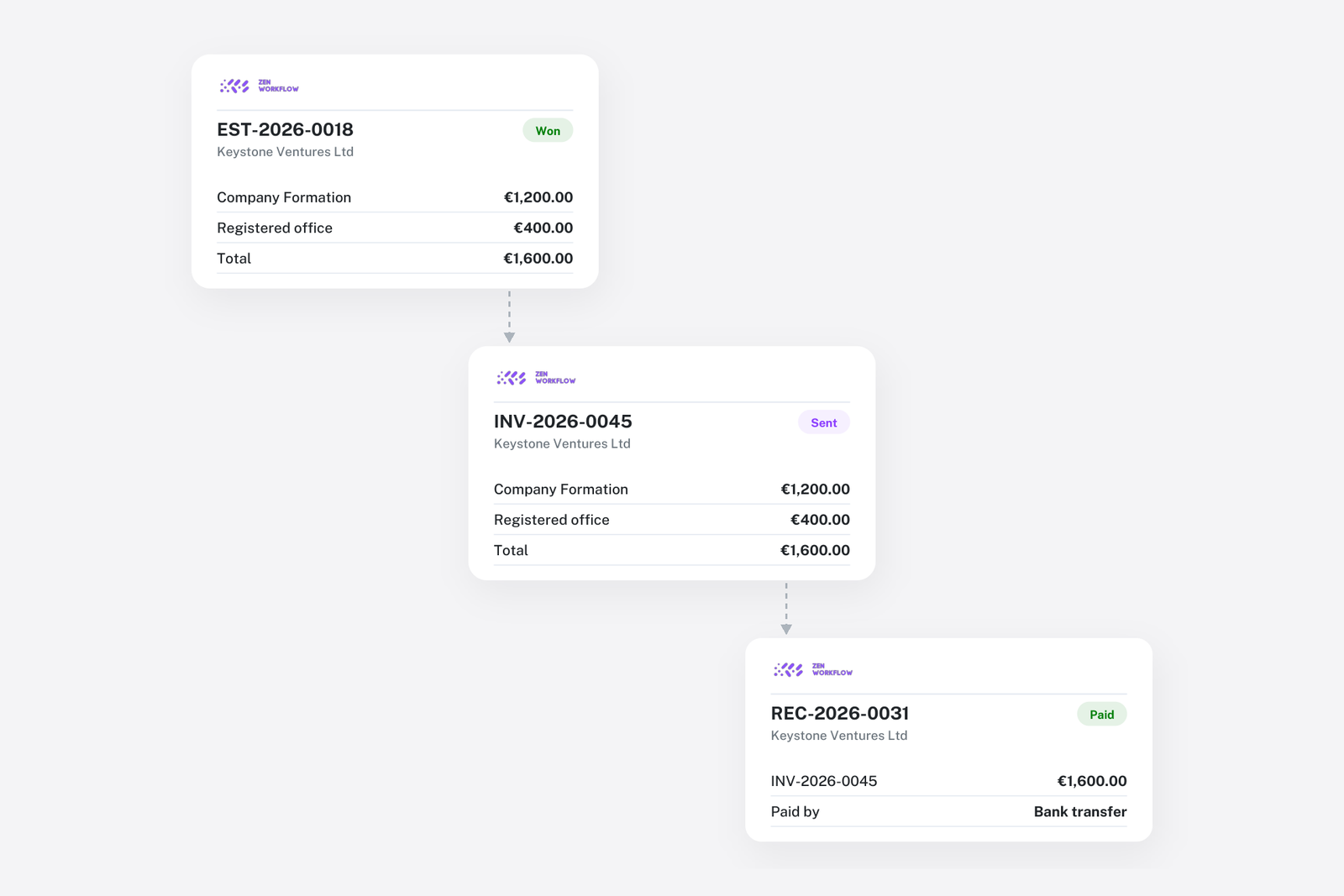
Getting paid accurately and on time is critical for any professional services firm. ZenWorkflow's invoicing module provides a complete billing workflow from estimates through to receipts, with powerful features like multi-currency support, workflow-based billing, and automated balance tracking.
The Billing Lifecycle
ZenWorkflow supports the full billing lifecycle:
- Estimate: Quote your services to the client
- Invoice: Bill the client for work performed
- Receipt: Record payments received
- Credit Note: Issue credits or adjustments against invoices
Each document type has its own configurable prefix and auto-incrementing number for professional, consistent numbering.
Estimates
Estimates let you quote services before work begins:
- Add line items with service, description, quantity, rate, and tax rate
- Amounts, taxes, and totals are computed automatically
- Track estimate status: Pending, Won, or Declined
- Convert a won estimate to an invoice with one click, copying all details
- Duplicate estimates for similar quotes
- Email estimates to clients or share via magic links
- Export to PDF for formal presentation
Invoices
Invoices are the core of your billing:
- Create invoices with client, date, due date, currency, and exchange rate
- Add multiple service lines with description, quantity, rate, and tax rate
- Link invoice lines to specific workflows and pull unbilled timesheet entries automatically
- Invoices start as Draft and must be explicitly approved before being sent
- Payment status tracking: Unpaid, Partially Paid, Paid, or Overpaid
- Per-line item balance tracking for precise receipt and credit allocation
- Void invoices for audit trail (voided invoices are excluded from financial aggregations but remain visible)
- Automatic overdue reminders for unpaid invoices
- Invoice statistics dashboard showing outstanding amounts, paid totals, and draft counts
Receipts
Record payments with full flexibility:
- Create receipts against specific invoices with Cash, Bank Transfer, or Cheque payment methods
- Allocate receipt amounts to specific invoice service lines for precise tracking
- Invoice balances update automatically when receipts are created or deleted
- When a receipt total exceeds the allocation, the remaining amount becomes a credit balance for future use
- Create standalone receipts independent of a specific invoice
- Client-based filtering: select the client, then currency, then available invoices
Credit Notes
Issue credits and adjustments:
- Create credit notes against specific invoices
- Allocate credit amounts to individual invoice service lines
- Invoice balances reverse automatically
- Apply existing receipt credits to unpaid invoice lines through a multi-step allocation flow
Multi-Currency Support
For firms working internationally, ZenWorkflow handles multi-currency billing:
- Each document can have its own currency independent of the organisation default
- Exchange rates are looked up automatically based on currency and date
- All amounts are converted to the organisation currency for consistent reporting
- Currency is locked per document to maintain financial accuracy
Workflow Integration
The deep integration between workflows and invoicing sets ZenWorkflow apart:
- Link invoice service lines directly to workflows
- Pull unbilled timesheet entries from a workflow into an invoice automatically
- Track billing status from the workflow detail page
- Lock and unlock timesheets for billing control
- Toggle final billing status on workflows
- View revenue charts showing billing data by workflow
Tax Rates
Manage tax rates across your organisation:
- Create, edit, and delete tax rates as needed
- Set one default tax rate for the organisation
- The 0% tax rate is protected and cannot be deleted (required for non-taxable items and expenses)
Bulk Operations
Save time with bulk operations:
- Delete multiple invoices, estimates, receipts, or credit notes at once
- Balance adjustments are automatically reversed during bulk deletions
- Export any document type to CSV or XLSX for external reporting
- Import invoicing data from Excel templates for migration