Leave Management: Streamline Time Off Requests and Approvals
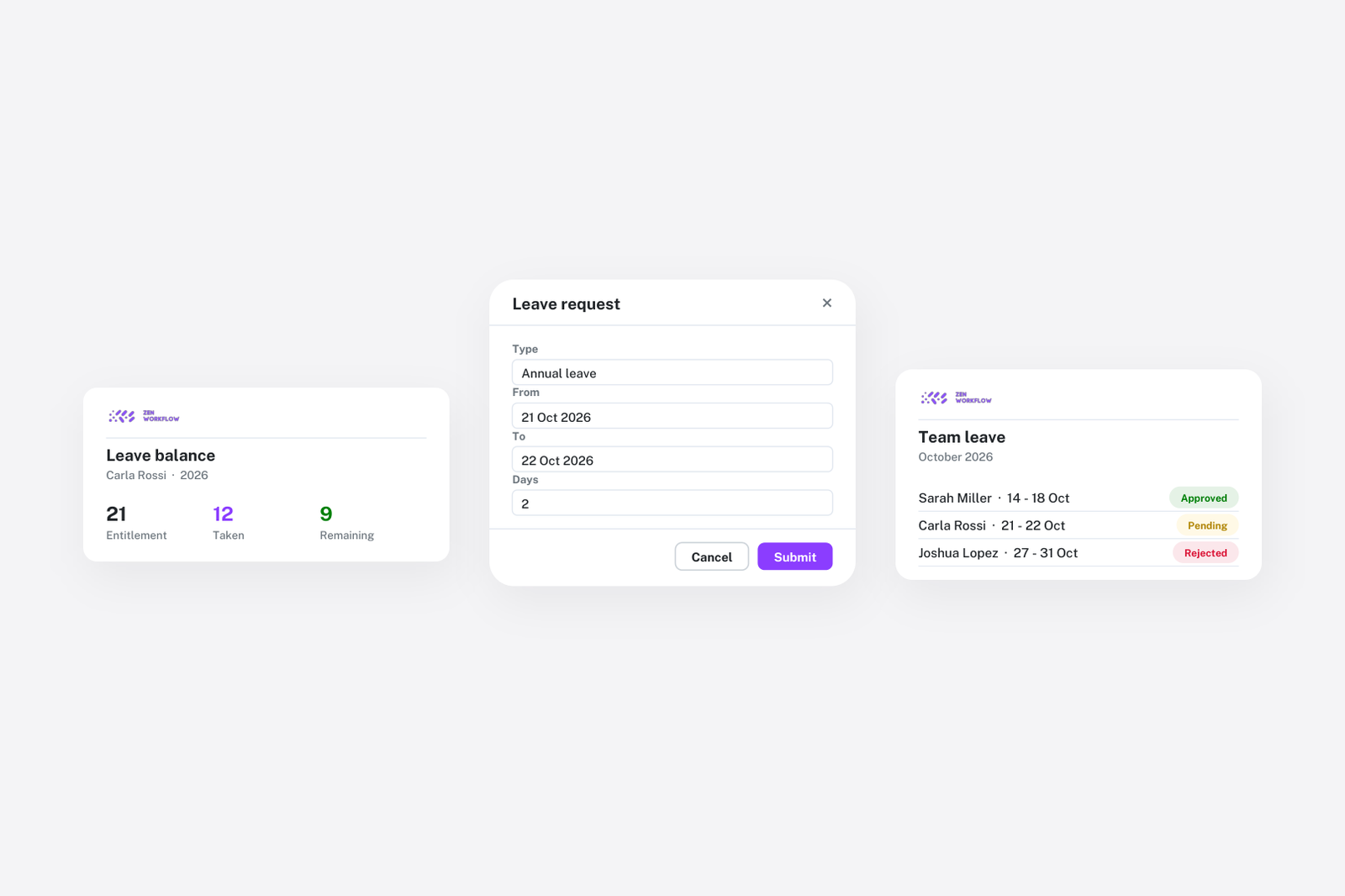
Managing team availability is essential for planning workloads and meeting client deadlines. ZenWorkflow's leave management system goes beyond simple time-off requests, providing a complete framework for leave policies, allowances, and approval workflows.
Requesting Leave
Team members can request leave with just a few clicks:
- Select the leave type (Annual Leave, Sick Leave, or any custom type you create)
- Choose one or multiple dates — no need to submit separate requests for consecutive days
- Specify full-day or partial-day leave with optional time ranges
- Add a description explaining the reason for the leave
- Upload supporting documents like medical certificates or travel bookings
- Leave types are colour-coded for instant visual identification in calendars
The Approval Workflow
Leave requests follow a structured approval process:
- Submit request: The team member creates a leave request with all relevant details
- Pending review: The request appears in the approval queue for designated managers
- Manager decision: Managers review the details, dates, attachments, and team availability before approving or rejecting
- Bulk approval: During busy periods, managers can approve multiple requests at once to save time
Leave Allowances
ZenWorkflow supports sophisticated allowance policies:
- Unlimited or limited: Set quotas as unlimited (no cap) or limited with a specific number of days or hours per year
- Carry-over: Allow unused leave to carry over to the next year with maximum limits and expiry dates. For example, up to 5 unused annual leave days might carry over, expiring by March 31st of the following year.
- Per-member overrides: Customise allowances for individual members. Part-time workers can have proportional adjustments using ratio settings.
- Usage tracking: Real-time balance showing used, remaining, and carry-over amounts with percentage displays
- Tooltip breakdown: Hover over an allowance to see a detailed breakdown of carry-over amounts and their expiry dates
Leave Types
Create leave categories that match your organisation's policies:
- Custom types: Annual Leave, Sick Leave, Compassionate Leave, Study Leave — create as many as you need
- Colour coding: Choose from 10 colours for visual distinction in calendars and lists
- Default type: Designate one type as the default for quick request creation
- Allowance linking: Connect each leave type to an allowance policy for automatic balance tracking
Calendars and Periods
Leave management operates on calendar periods:
- Define leave years: Set your leave year period (e.g., January to December, or April to March for financial year alignment)
- Assign members: Add team members to calendars
- Automatic allowances: Creating a calendar automatically generates allowance records for all assigned members, based on your allowance policies
Public Holidays
Manage public holidays alongside leave:
- Import public holidays by country and year
- Add custom holidays or modify imported ones
- Assign holiday calendars to specific team members (useful for multi-national teams)
- Public holidays automatically appear in timesheets, so team members know which days are non-working
Leave Views
Three views give you complete visibility:
- Personal leaves: Team members see their own upcoming and past leave requests
- Team calendar: An organisation-wide calendar showing all team members' leave, with colour-coded types for quick scanning
- Annual summary: Yearly statistics showing leave usage across the organisation
Days or Hours
ZenWorkflow supports both day-based and hour-based leave accounting. Set this at the organisation level to match your HR policies. Hour-based tracking is particularly useful for firms with variable work schedules or part-time arrangements.