Subscriptions and Billing: Choosing the Right Plan for Your Firm
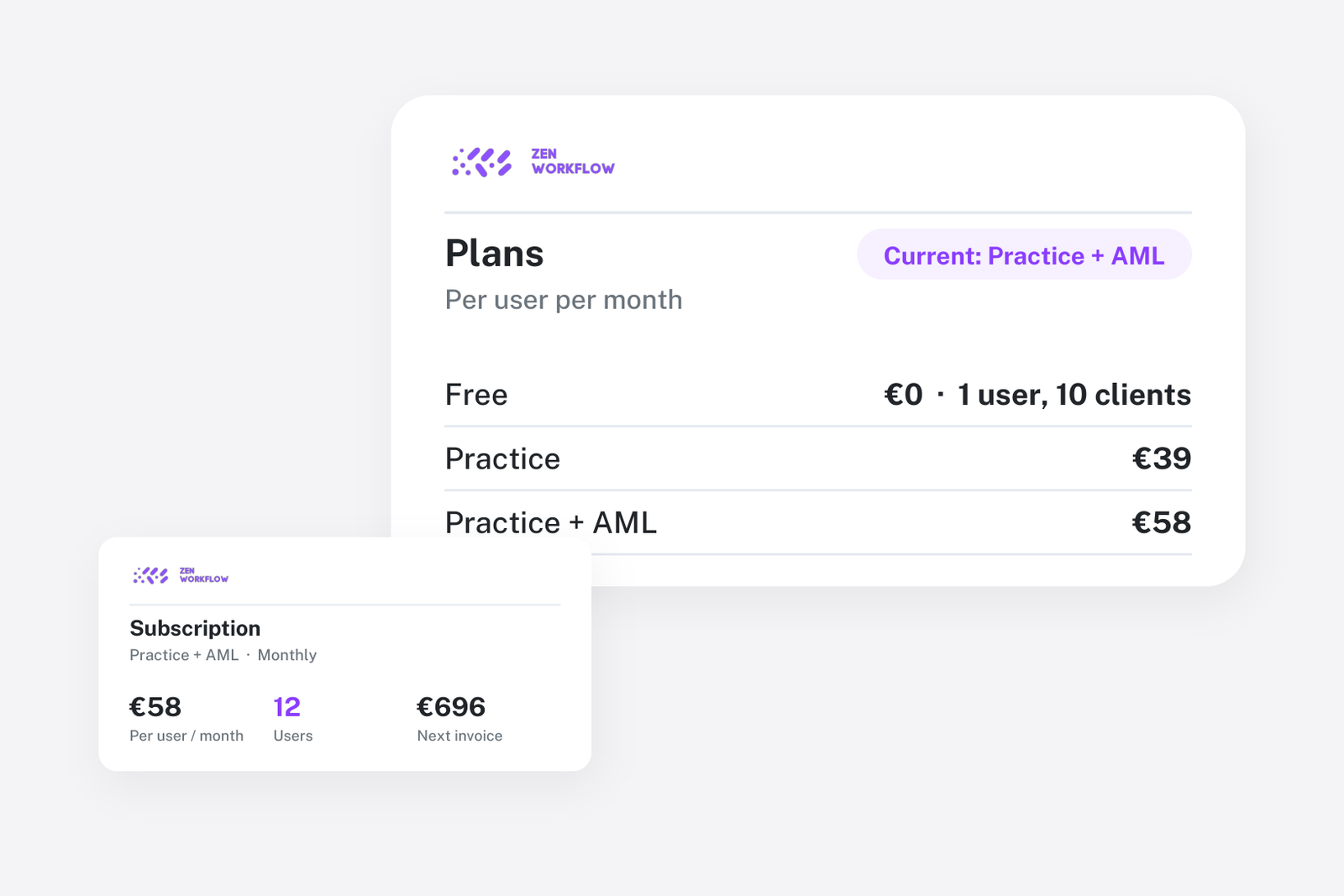
ZenWorkflow offers flexible subscription plans designed to grow with your firm. Whether you are just getting started or managing a large team, there is a plan that fits your needs.
Plans and Pricing
Free Tier
The free tier gives you access to core features with usage limits on clients, workflows, invoices, and other modules. It is ideal for solo practitioners or firms evaluating ZenWorkflow before committing to a paid plan.
Professional Plan
The Professional plan removes all usage limits and unlocks the full suite of features. With unlimited clients, workflows, invoices, and team members, it is designed for firms that need unrestricted access to every capability.
Billing Cycles
Choose the billing cycle that works best for your firm:
- Monthly billing: Pay month-to-month with full flexibility
- Yearly billing: Commit annually and receive a discount on your subscription
You can switch between monthly and yearly billing at any time from your billing settings.
Trial Period
New organisations receive a configurable trial period, giving you time to explore all Professional features before your first payment.
Addon Modules
Beyond the core subscription, ZenWorkflow offers addon modules that unlock premium capabilities:
- AML/KYC Compliance: Full compliance management with questionnaires, risk assessments, multi-layer approval workflows, and verification tracking
- Advanced Capital Management: Comprehensive share structure and ownership tracking for entity clients
Addon modules can be purchased independently and are billed alongside your main subscription.
Managing Your Subscription
Stripe Integration
ZenWorkflow uses Stripe for secure payment processing. When you subscribe or change your plan, you are directed to a Stripe-hosted checkout session with industry-standard security.
Customer Portal
Access the Stripe customer portal directly from ZenWorkflow to:
- Update your payment method
- View billing history and download invoices
- Manage your subscription details
Changing Plans
- Upgrade: Move to a higher plan at any time. The change takes effect immediately.
- Downgrade: Step down to a lower plan. Changes apply at the end of your current billing period.
- Switch cycle: Change between monthly and yearly billing through the billing settings page.
Feature Gating
Some features are only available with an active subscription or specific addon modules. When you encounter a feature that requires an upgrade, ZenWorkflow shows a clear indicator and a link to the billing page where you can activate the required plan or addon.
This approach ensures you always know which features are available and how to unlock additional capabilities as your firm grows.