Run Month-End Bookkeeping for Every Client at Once
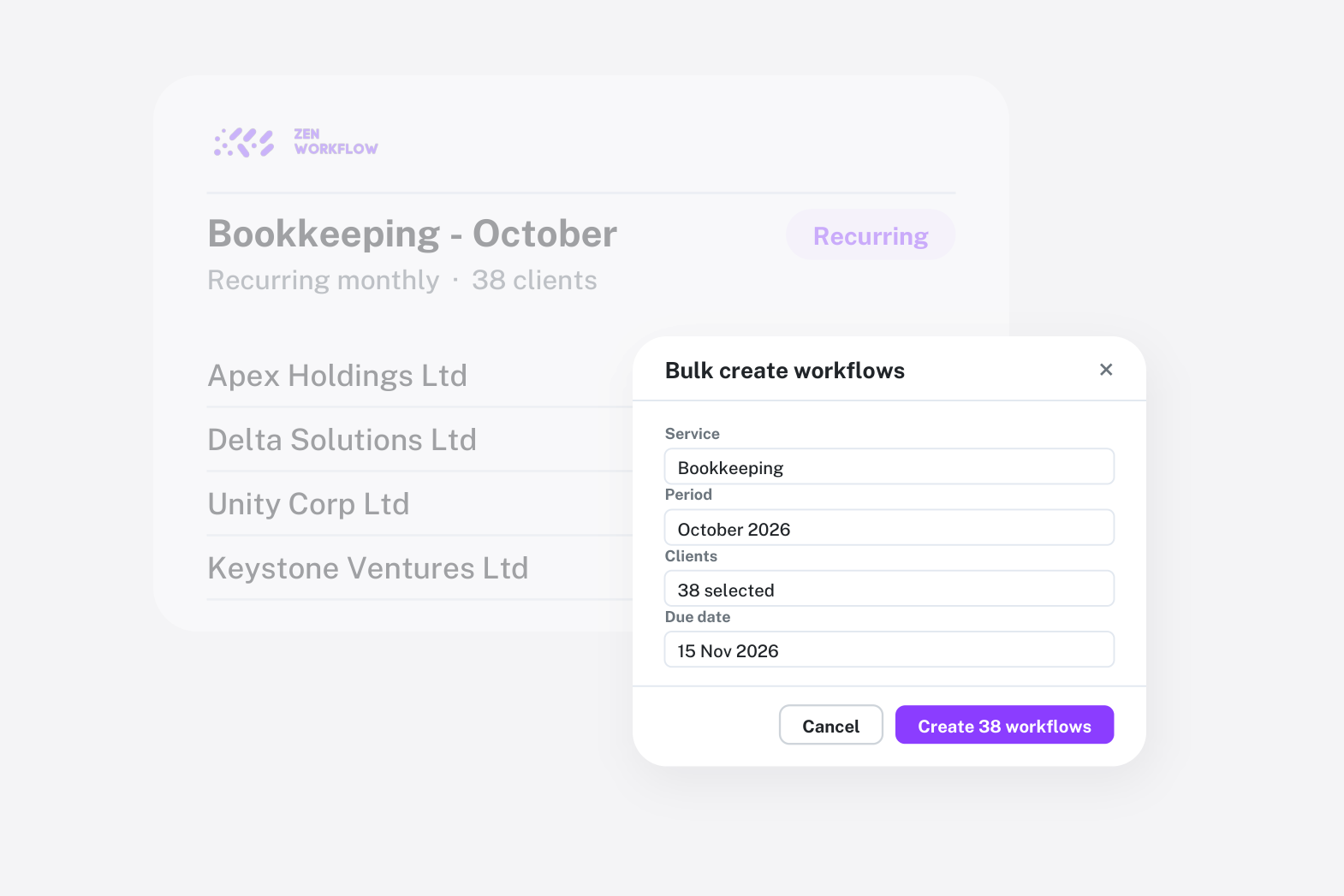
Recurring work has a shape that one-off work does not. The same service, for many clients, on the same cycle, with the same steps and often the same fee. Firms that treat each month's bookkeeping as forty separate jobs spend the first day of the month creating them and the last day of the month finding the one they forgot. The shape is the opportunity: set it up once and let the cycle run.
Assign the service once
Each client is assigned the recurring services they receive, with the cycle: monthly bookkeeping, quarterly VAT, monthly payroll. This is the master list of what the firm owes to whom, and everything else reads from it. Services can be grouped into a bundle where a client pays one fee for several, and the fee basis sits on the service, not in a separate spreadsheet.
Create the month in one go
At the start of the cycle, bulk-create the period's workflows for every client on the service. Each job is created from the service template, so it arrives with its items, owner, budget, fee and due date. Forty jobs that used to take an afternoon of clicking exist in a minute, and they are identical in structure, which is what makes the rest of the month fast.
Clients who have paused or who skip a period are handled on the service, so the cycle does not create work nobody will do.
One list to work
The workflow list shows the month's jobs with their status, owner and due date. Filter to the service and the period and you have the whole cycle on one screen. Sort by status to see what has not started; sort by due date to see what is at risk. Each job's items are ticked off as the work is done, and the progress bar on the list tells the manager where the month is without opening files.
Time is logged against each job on the weekly timesheet, so the cost of each client's bookkeeping is known by the end of the month.
Bill the month on one invoice per client
Recurring fixed fees are created with their invoice when the period is billed, and a client's unbilled work can be picked onto a single invoice with lines grouped by workflow. A client on bookkeeping plus payroll gets one invoice with two grouped lines, built from the jobs rather than typed. Invoices can be sent by email from the record, and receipts allocated across invoices when the client pays several at once. See billing and invoicing.
The client who was missed
The expensive mistake in recurring work is the client whose job was never created. The coverage view compares each client's assigned services with the workflows that exist for the period, and lists the gaps. It takes a minute at the start of the cycle and removes the end-of-month discovery entirely.
Improve the cycle, not the jobs
When a step is consistently skipped or a fee is consistently exceeded, fix the template. Next month's jobs inherit the change. This is the quiet advantage of running recurring work from templates: process improvement is an edit, not a training session. Standardising recurring engagements goes into how to build the template.
A month in practice
- Day 1: bulk-create the cycle, check the coverage view, assign any new clients.
- Weeks 1 to 3: work the list; team logs time against each job; the manager watches progress and budget.
- Week 4: bill from unbilled work, one invoice per client; write off anything that will never be billed, deliberately.
- Review: the time report by service shows whether the fee still covers the hours.
Who this is for
Bookkeeping practices and outsourced finance teams are the obvious fit, but corporate service providers administering annual returns across hundreds of entities have exactly the same shape of work on an annual cycle, and payroll bureaux the same on a monthly one.
Frequently asked
Can I create a month's jobs for every client in one go? Yes. Bulk-create workflows from a service template for every client assigned to that service, with due dates set.
What about clients who skip a month? Skipped periods are handled on the client's service, so no job is created for them.
Can one invoice cover several services? Yes. Pick a client's unbilled work across workflows and the invoice lines are grouped by workflow.
Can I bundle services into one fee? Yes. Service bundles let a client pay one fee for several services.
How do I know a client was not missed? The coverage view lists clients with an assigned service but no workflow for the period.
Where to start
Assign your bookkeeping clients to the service and bulk-create next month's cycle. The first month on one list usually settles the question. Book a demo with your client list, or start a free trial.