Stay on Top of AML Reviews Without the Spreadsheet Chaos
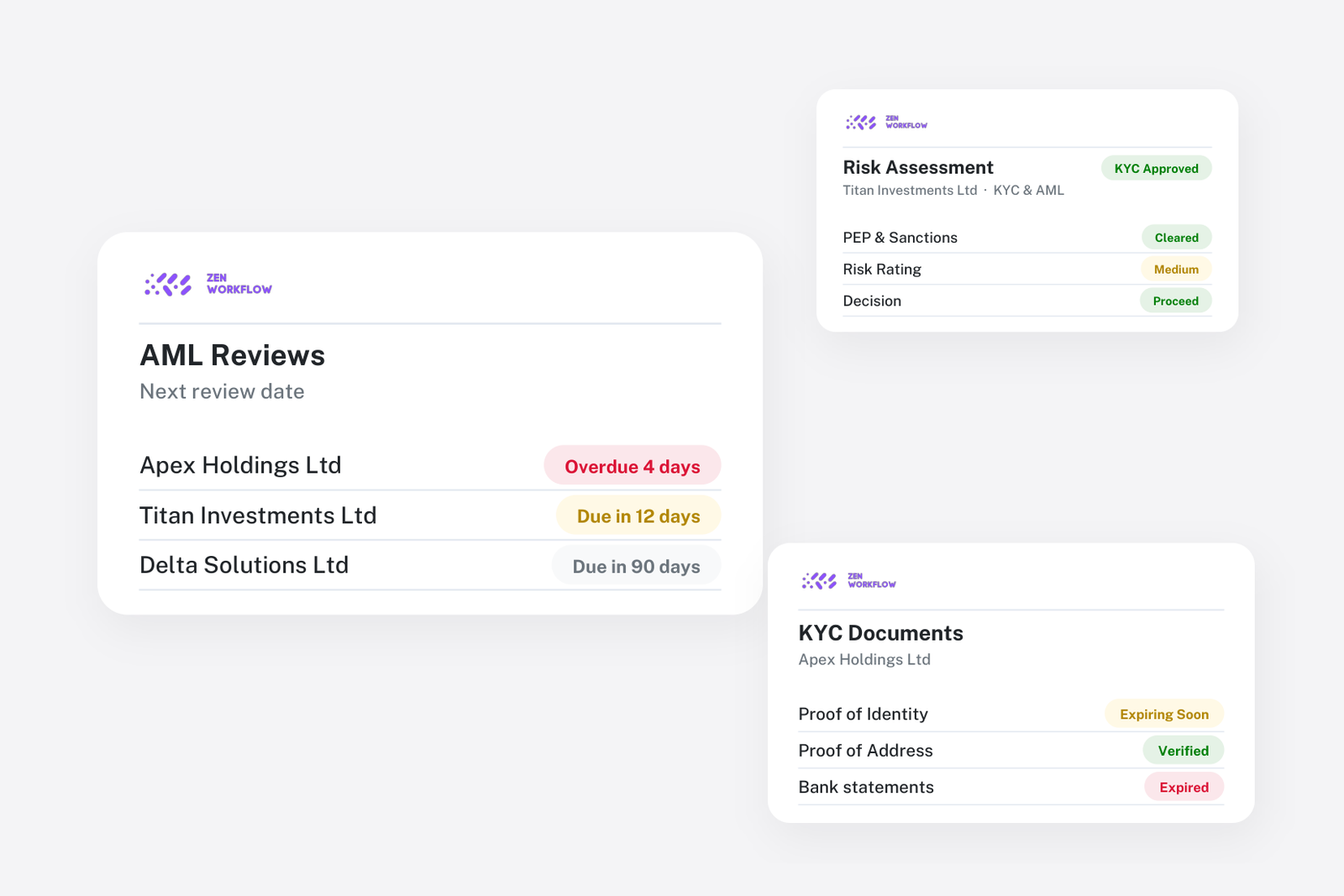
The first AML assessment on a new client is usually done carefully. It is the second, third and fourth that slip. A client rated medium risk two years ago is due for review this quarter, but the date sits in a spreadsheet column, the passport on file expired in the spring, and the director who joined last year has never been screened. None of this is negligence. It is what happens when periodic review depends on someone remembering.
This article describes how firms run the review cycle in ZenWorkflow so that it does not depend on memory.
The problem with reviews in a spreadsheet
A review schedule has three moving parts: the date of the last assessment, the risk rating that decides how soon the next one is due, and the documents and people on the file whose status changes independently. A spreadsheet can hold the first two if someone updates them. It cannot know that a proof of address expired, that a new beneficial owner appeared or that a screening result changed. So the review happens late, or it happens on time but against a file that is already out of date.
A risk assessment that calculates itself
In ZenWorkflow the assessment is a questionnaire your firm defines, with the sections, questions and weightings your procedures require. When it is completed, the client's risk rating is scored from the answers. If the rating is wrong on the facts, a partner can override it with a documented reason, and the decision, the reason and who made it stay on the record.
Assessments can be routed for approval through one or more approval layers before they are final, so the four-eyes check your manual requires is enforced rather than hoped for.
Reviews fall due on their own schedule
Each risk rating carries its own review interval. A low-risk client might be reviewed every three years, a medium-risk client every two and a high-risk client every year, using the intervals your firm sets on the questionnaire. When an assessment is approved, the next review date follows from the rating, and it moves if the rating changes.
Thirty days before a client falls due, the responsible team member is notified, so the review is scheduled rather than discovered. The compliance views list who is due, who is overdue and who has documents or fields missing.
Documents that tell you when they expire
Identity and address documents are recorded against each person with an expiry date, and document types can carry their own reassessment period. Expired and missing documents appear in the compliance views and reports, so a review starts from an accurate picture of what needs refreshing rather than a folder of scans.
Screen every person behind the entity
PEP and sanctions screening runs across directors, shareholders and beneficial owners, not just the entity. Results are recorded against each person, and where you use an external screening provider the report is attached to the search. A new director added to the client record is a new person to screen, visible on the KYC tab beside everyone else.
The firm's position in one report
The compliance status report shows the distribution of risk across the client base, which clients are overdue for review and which have KYC fields missing. A per-client risk assessment can be exported to PDF for the file. When the regulator or your compliance officer asks where the firm stands, the answer is a report rather than a week of assembling it.
Running the cycle
- Configure the scheme once. Define the questionnaire, the rating thresholds, the review interval for each rating and the approval layers.
- Clear each client. Complete the assessment, screen the people, collect the documents and record expiry dates.
- Work the due list. Each month, open the compliance view and complete the reviews, document refreshes and screenings that are due. Everything is done on the client record, so the file is current the moment the review is.
Who this is for
Accounting and audit firms, law firms and corporate service providers all carry the same obligation with different volumes. For a corporate service provider administering hundreds of entities, the review list is the whole job. For a law firm, it is what makes client onboarding compliant without slowing it down. The AML/KYC compliance page describes the full feature set, and automating client onboarding covers how the first assessment fits into taking on a client.
Frequently asked
How are review dates set? Each rating has its own interval, set on the questionnaire. The next review date follows from the approved rating and moves if the rating changes.
Does the rating recalculate? Yes. It is scored from the questionnaire answers against your thresholds. An override records the reason and the person who made it.
Will I know when a document expires? Yes. Expiry dates are tracked per document, and expired or missing documents appear in the compliance views and reports.
Can I show the regulator our overall position? Yes. The compliance status report gives the risk distribution, overdue reviews and missing fields across the client base.
Is this in every plan? AML and KYC are part of the Practice + AML plan. See pricing.
Where to start
Load your current questionnaire and intervals, then run your highest-risk clients through it first. Those are the reviews that matter most and the ones a regulator will look at. Book a demo to configure your scheme on a call, or start a free trial.