What Is Practice Management Software? Definition and What It Does for a Professional Firm
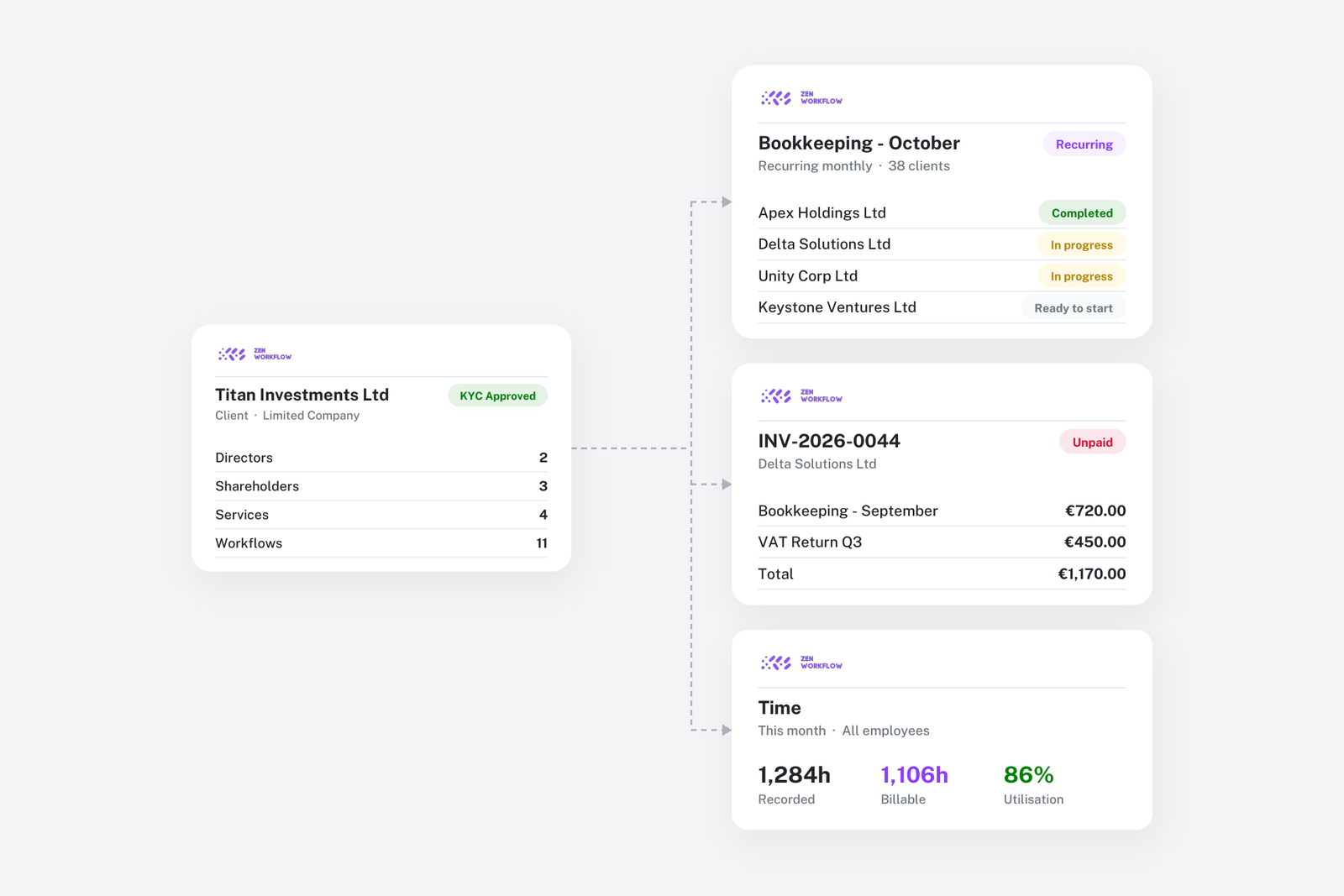
Practice management software is the system a professional services firm uses to manage its client work, the time spent on it, the billing of it and the client records it relates to, in one place. It is used by accounting, bookkeeping, audit, tax, legal and corporate-services firms, whose business is recurring work for many clients under agreed fees. Where a company uses an ERP to run operations, a firm uses practice management software to run engagements.
Key takeaways
- Practice management software does four things: manages the work across every client, records time and expenses and turns them into invoices, holds the client record with its services, documents and deadlines, and reports on the firm's performance.
- It differs from project management software, which has no concept of a client, a service, a fee or a deadline derived from a year end.
- It differs from accounting software, which records the firm's own books but not the work that produced the fees.
- A firm needs it from about five people, or earlier if it carries compliance obligations or bills on fixed fees.
What does practice management software do?
Work management. Every engagement, from a monthly bookkeeping job to an annual audit, is a workflow created from a template, assigned to people, tracked through stages and due on a date. Recurring engagements repeat on their schedule without being recreated. Partners see what is due, what is overdue and what is waiting on a client.
Time and billing. Staff record time against clients and engagements. Fixed fees, hourly time, expenses and recurring charges are brought together into invoices, with unbilled work visible before the invoice is raised. Receipts and credit notes close the loop. This is where the software pays for itself, because it is where firms lose fees. Realisation rate and lock-up are the two measures.
Client management. One record per client holding its contacts, the services the firm has agreed to provide, their fees, the deadlines that follow from the client's year end and jurisdiction, its documents, and for regulated firms its compliance file: beneficial owners, identity documents and risk assessment.
Reporting. Because work, time, invoices and clients are in one system, the firm's key numbers come from it without assembly: realisation, utilisation, unbilled work, debtors, fees by client and service, capacity and overdue obligations. The eight numbers a partner should review monthly are all derived from these four functions.
Some systems add leave management, document generation, client portals, email integration and an AI assistant that can answer questions over the firm's data.
How is it different from project management software?
Project management tools such as Asana, ClickUp and monday.com manage tasks for any team. They have no notion of a client as the owner of recurring services, of a fee basis, of time flowing into an invoice or of a deadline that follows from a year end. A firm can run its task list in one, and many small firms do, but it will keep its services, billing and client records somewhere else, and the three will disagree. The comparison with ClickUp, Asana and monday.com sets out the gap.
How is it different from accounting software?
Accounting software such as Xero or QuickBooks keeps the firm's own ledger, and the clients' ledgers if the firm does their bookkeeping. It records the invoice once raised. It does not know what work produced the fee, who spent how long on it, whether the engagement is complete, or what the client is due to file next quarter. Practice management software sits in front of the accounting system and feeds it.
Who needs practice management software?
A firm needs it when coordination by memory and spreadsheet starts to cost more than the subscription. The signs are familiar: recurring jobs recreated by hand each period, invoices raised from memory rather than from recorded time, a deadline list someone maintains in Excel, a compliance file that lives in a folder separate from the client list, and partners who cannot say what the firm's realisation rate is. For most firms that point arrives at around five people. For regulated firms with anti-money-laundering obligations, or firms billing on fixed fees, it arrives earlier.
What to look for
The buyer's guide sets out twelve questions. The three that matter most: what is the unit of work, does it know what a service is, and how does time become an invoice. The comparison of twelve tools covers the main options by firm type.
ZenWorkflow as an example
ZenWorkflow is practice management software for accounting, audit, legal and corporate-services firms. It holds the four functions on one client record: workflows from templates that recur with the service, time tracking and billing from fixed fees and recorded time, client management with services, deadlines and documents, and AML and KYC compliance on the same record, with reports across all of it. The features page lists the rest.
Frequently asked
Is practice management software the same as a CRM? No. A CRM manages prospects and sales. Practice management software manages the work for clients the firm already has. Some products include light CRM features.
Does a firm still need accounting software? Yes. Practice management software raises invoices and tracks receipts; the firm's own ledger, VAT and statutory accounts still live in the accounting system, which the practice system feeds.
Is it only for accountants? No. Any firm that does recurring work for many clients under agreed fees has the same needs: law firms, corporate service providers, tax advisers, consultancies.
What does it cost? Usually a monthly fee per user. The subscription is the smallest part of the cost and the smallest part of the return. What practice management software costs sets out both.